Additional Info on Product Detail Page
Additional Info on Product Detail Page enriches your product pages with the technical details customers look for before they buy — EAN/barcode, manufacturer number, manufacturer name, weight and dimensions — shown directly in the buy area of the product detail page.
Every field can be switched on or off individually and arranged in the order you want, so each shop shows exactly the information that matters to its customers. In addition, the optional Rich Snippets feature adds Google-ready structured data to your product pages to boost their visibility in search results.
Highlights
- 🏷️ Show EAN / GTIN (barcode) on the product detail page
- 🏭 Show the manufacturer number and manufacturer name
- ⚖️ Show weight and the product dimensions (length, width, height)
- 🔀 Enable each field individually and set its display order
- 🌍 Multilingual field labels (DE / EN / FR)
- 🔎 Optional Rich Snippets (schema.org) for Google Rich Results
- ⚡ Seamless integration into the standard Shopware product page
Warning
Important: Please note that the following plugin must be installed and activated once before using this plugin.
Installation
Install the plugin from the Shopware Store, or upload it under Extensions → My extensions.
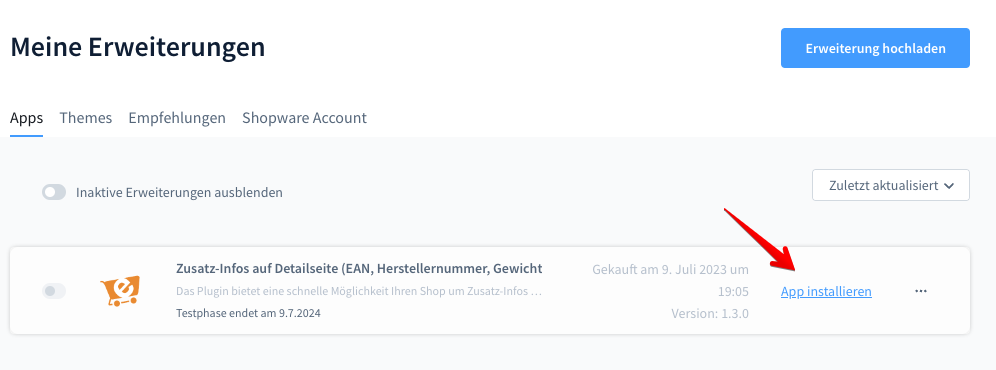
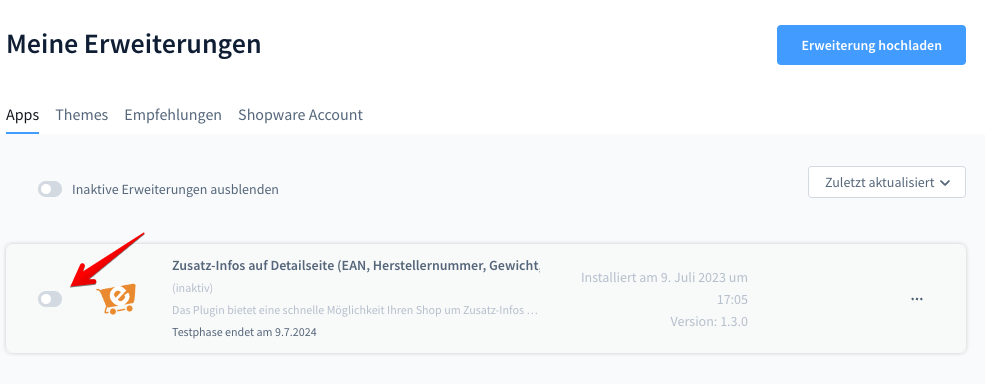
Activation
Click the icon to activate the plugin.
Configuration
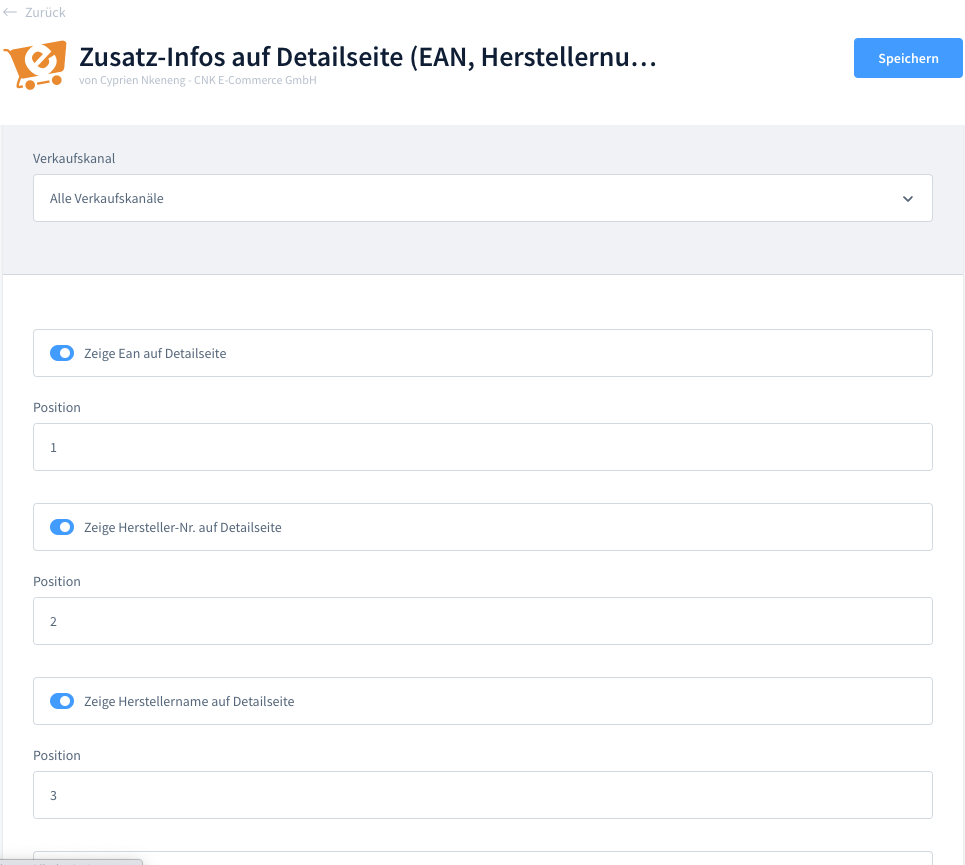
Open Extensions → My extensions → Additional Info on Product Detail Page → … → Configure (or via Settings → System → Plugins). For every piece of information you decide whether it is shown and in which position it appears in the list.
| Information | Default | Description |
|---|---|---|
| EAN | On (position 1) | The product's EAN / GTIN (barcode number). |
| Supplier number | On (position 2) | The manufacturer / supplier product number (MPN). |
| Supplier name | On (position 3) | The name of the manufacturer / supplier. |
| Weight | Off (position 4) | The product weight, including its unit. |
| Length | Off (position 5) | The product length, including its unit. |
| Height | Off (position 6) | The product height, including its unit. |
| Width | Off (position 7) | The product width, including its unit. |
For each field there are two settings:
- Display on the product detail page — turn the field on or off.
- Position — a number that controls the order of the fields (lower numbers appear first).
Note
Only fields that actually contain a value on the product are shown. If a product has no weight or dimensions, those rows are skipped automatically — even when the field is enabled.
On the product detail page
The enabled fields appear in the buy area of the product detail page, right next to the order number — each with its translated label and value, in the order defined by the position settings.
Rich Snippets for Google
Rich Snippets automatically add structured schema.org Product data (JSON-LD) to the <head> of every product detail page — including GTIN/EAN, MPN, brand, weight and dimensions. This lets Google display Rich Results: product details, price, availability and identifiers directly in the search snippet.
- 🔎 Better visibility in Google Search
- 📈 Higher click-through rate thanks to enriched results
- ⚙️ Fully automatic — no template changes required
Check the result
Verify the output with the Google Rich Results Test.
FAQ
Where exactly is the information shown?
In the buy area of the product detail page, next to the product's order number. The fields follow the order you set with the position values.
Can I hide individual fields?
Yes. Every field has its own on/off switch, so you can show only the information that is relevant to your shop.
What happens if a product has no weight or dimensions?
Empty values are skipped automatically. A field is only rendered when the product actually has that value.
In which languages are the labels available?
The field labels ship in German, English and French and follow the storefront language.
Do I need to edit any templates?
No. Both the additional information and the Rich Snippets are added automatically — no theme or template changes required.
Support
For questions, suggestions or custom adjustments, contact us by email at support@cnk-plugins.de.