RentWare – Theme for Event Rental & Hire Shops
RentWare is a Shopware 6 theme for shops that rent out items: event and party rental (bouncy castles, party furniture, tents, tableware, sound and light), tool and machine hire, photo and video equipment, or leisure items.
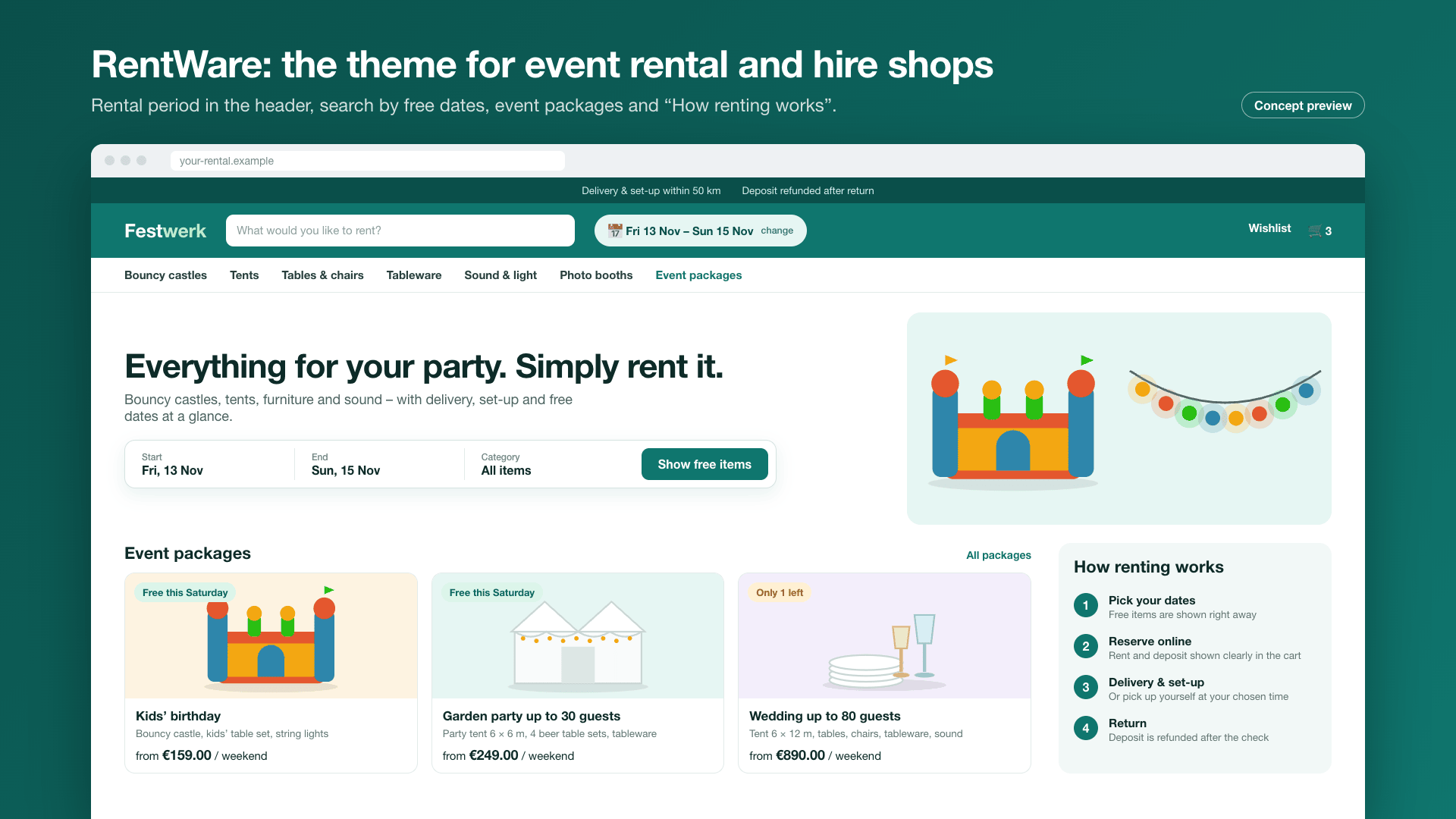
A rental shop does not sell an item, it sells a date: the customer first looks for their date, then for the right package. RentWare puts exactly that at the centre – with a rental period in the header, blocks for event packages and a clear explanation of how renting works.
Status
RentWare is being prepared for the Shopware Community Store. This page describes the feature set of the first version.
Highlights
- 📅 Rental period in the header – "When is your event?" as the first step (with Global Rental)
- 🎁 Shopping experience blocks "Event packages" and "How renting works"
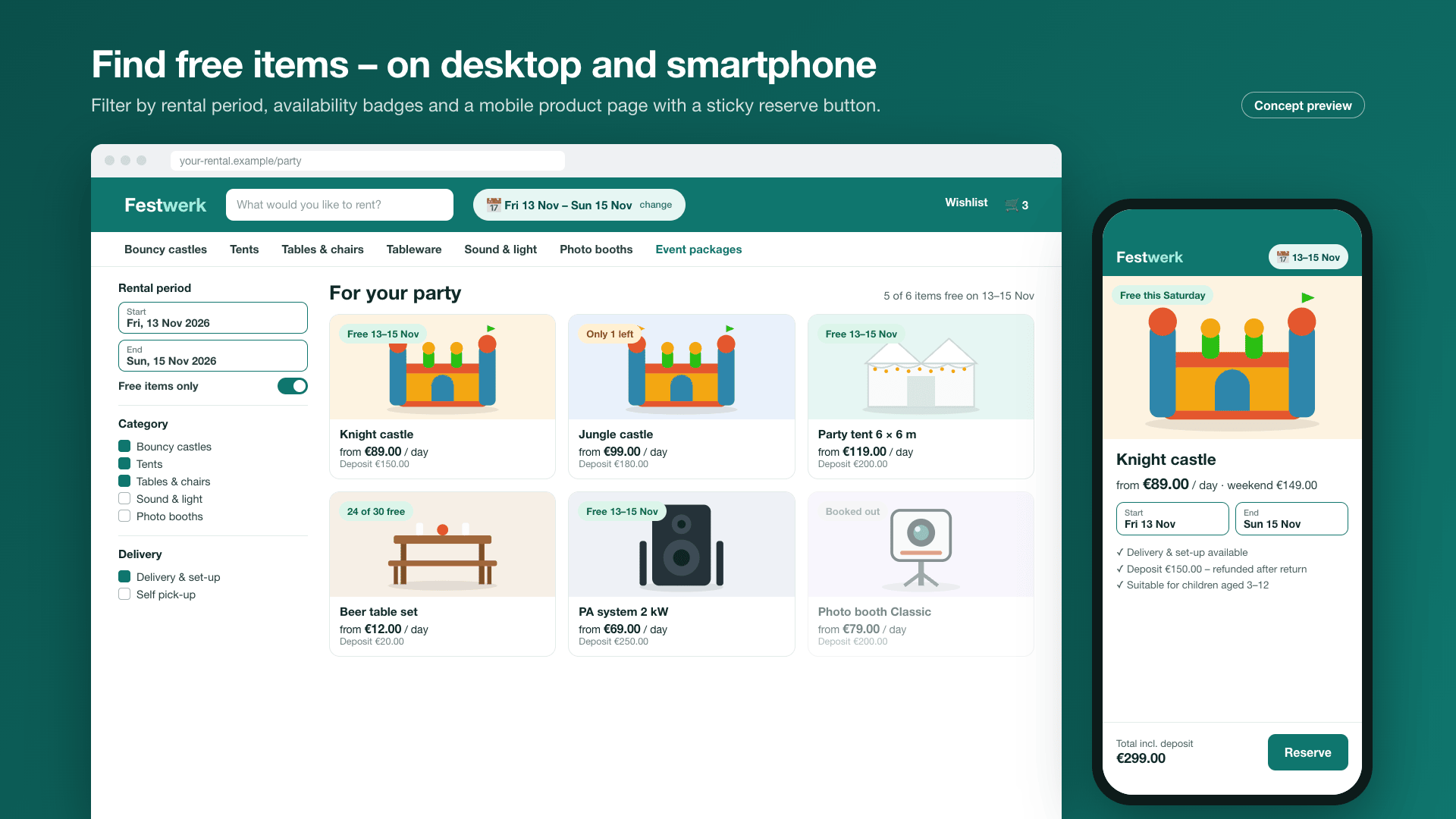
- 🟢 "Free this Saturday" badges on product cards (with Global Rental)
- 🎨 Sector styles: event rental, tool hire, photo & tech, leisure
- 🪄 One-click demo: a complete event rental shop with categories, products and home page
- 📄 Templates for rental terms and frequently asked questions
- ♿ Readable colours (at least 4.5:1), focus frame, reduced motion
- 🔒 No external resources – the font is served by Shopware
🎯 Who RentWare is for
| Sector | What RentWare shows |
|---|---|
| Event / party rental | packages like "Kids' birthday" or "Garden party for 50 guests", date first, delivery and setup |
| Tool and machine hire | device cards with daily and weekly price, technical data, pick-up |
| Photo and video equipment | kits and accessories, deposit notes |
| Leisure | seasonal offers, weekend rental |
🧩 Theme and rental extension
RentWare is a standalone theme and works without any other extension: design, header and footer styles, shopping experience blocks, sector styles and the demo are fully included.
The rental logic – rental period in the cart, price by duration, availability, deposit, rental status – comes from the Global Rental extension. When it is installed, RentWare detects it automatically and additionally shows:
- the rental period in the header for the whole cart,
- the shopping experience block "Available on …" (search by date),
- the availability badges on product cards and the product page.
Without Global Rental these areas stay hidden; the shop works as a normal shop, e.g. with requests via a form.
Bought separately, cleanly separated
Theme and extension have separate jobs: the theme handles the presentation, the extension the data. Your rental data stays when you switch themes later, and Global Rental also works with any other theme.
🔧 Installation
- Install from the Shopware Store or as a ZIP
- Activate under Settings › Extensions
- Requirement: Shopware 6.7
🎨 Assign the theme
Under Sales Channels › your storefront › Theme, choose RentWare and save. Then set colours and options under Content › Themes › RentWare.
⚙️ Configuration
| Area | Settings |
|---|---|
| Colours | brand colour, header background, price and buy button colour; text colours are calculated to stay readable |
| Header | classic, centred, compact, split, with category bar; announcement bar and USP bar |
| Rental period | show in header on/off, label (e.g. "When is your event?") |
| Product cards | card variants, badges, "from … per day" display |
| Footer | styles, newsletter band, benefits band, payment and social media icons |
| Accessibility | focus frame, contrast mode, reduced motion |
The page Content › RentWare brings together first steps, styles, demo, add-ons and changelog.
🧱 Shopping experience blocks
| Block | Content |
|---|---|
| Event packages | tiles with package name, image, included items and "from …" price |
| How renting works | steps: pick a date › book items › delivery or pick-up › return |
| Available on … | date picker with result list (with Global Rental) |
| Delivery area | map as an image or list of places and delivery flat rates |
| FAQ, reviews, hero slider, banner, tabs, video | general CNK building blocks |
🪄 One-click demo
Under Content › RentWare › Demo you create a complete sample event rental shop for a sales channel: categories, products with images, event packages, home page and pages for rental terms and FAQ. "Remove demo" deletes exactly this data again.
💳 Plans (in-app purchase)
The theme is fully usable. Additional content can be booked as an in-app purchase (monthly subscription) right in Shopware. Shopware shows the current prices in the Store and in the in-app purchase dialog.
| Feature | Theme | Business | Pro |
|---|---|---|---|
| Theme with theme manager, header/footer styles, accessibility | ✅ | ✅ | ✅ |
| General CNK building blocks, page Content › RentWare | ✅ | ✅ | ✅ |
| Detection of Global Rental: rental period in the header, badges | ✅ | ✅ | ✅ |
| Blocks "Event packages", "How renting works", "Delivery area" | – | ✅ | ✅ |
| Sector styles (event rental, tools, photo & tech, leisure) | – | ✅ | ✅ |
| One-click event rental demo, templates for rental terms and FAQ | – | ✅ | ✅ |
| More demos: tool hire, photo & tech, leisure | – | – | ✅ |
| Block "Available on …" (search by date, with Global Rental) | – | – | ✅ |
Nothing is hidden
Locked blocks stay visible in the shopping experience editor – with a note on which plan unlocks them.
🔒 Data protection (GDPR)
RentWare loads no external fonts or services. The Inter font is served by Shopware itself, demo data and images are included in the theme.
❓ FAQ
Does RentWare work without Global Rental?
Yes. RentWare is a complete theme. Rental period, search by date and availability badges only appear when Global Rental is installed.
Which sectors is the theme for?
Event and party rental, tool and machine hire, photo and video equipment, and leisure items. The sector styles adapt the design in one step.
Can I remove the demo again?
Yes. "Remove demo" deletes exactly the data the demo created.
Are external fonts or services loaded?
No. The theme makes no requests to Google Fonts or other external services.
📬 Support
For questions, suggestions or custom adjustments, contact us by email at support@cnk-plugins.de.