New in all CNK themes
All Shopware themes by CNK E-Commerce GmbH – AutoWare, BookWare, BulkWare, PetWare and RentWare – share a common base. Whatever is added there reaches every theme with its next version, at no extra cost.
Good to know
- You set every new option in the Theme Manager; each one can be switched off.
- Existing shops only change once you choose a new option. Exception from base 0.26: category pages show three products per row next to the filter sidebar by default, the “Modern” mega menu was redesigned and the English buy button reads “Add to cart”.
- See it live: BulkWare demo, BookWare demo · Overview with images: cnk-suite.de/en/themes/neu
Status per theme
| New feature | Already included in | Coming with the next version of |
|---|---|---|
| FAQ, reviews, menus, grid, trust texts (base 0.26) | BookWare, BulkWare, PetWare, RentWare | AutoWare (7.0.0, already in the demo) |
| Product card, season & trends, events, slider counter (base 0.27) | BookWare, BulkWare, PetWare, RentWare | AutoWare (7.0.0, already in the demo) |
FAQ in five layouts
Frequently asked questions as a list, cards, numbered, boxed or vertical tabs. Choose the icon (arrow, plus/minus, chevron or none) and put it left or right. The tabs are fully usable with the keyboard.

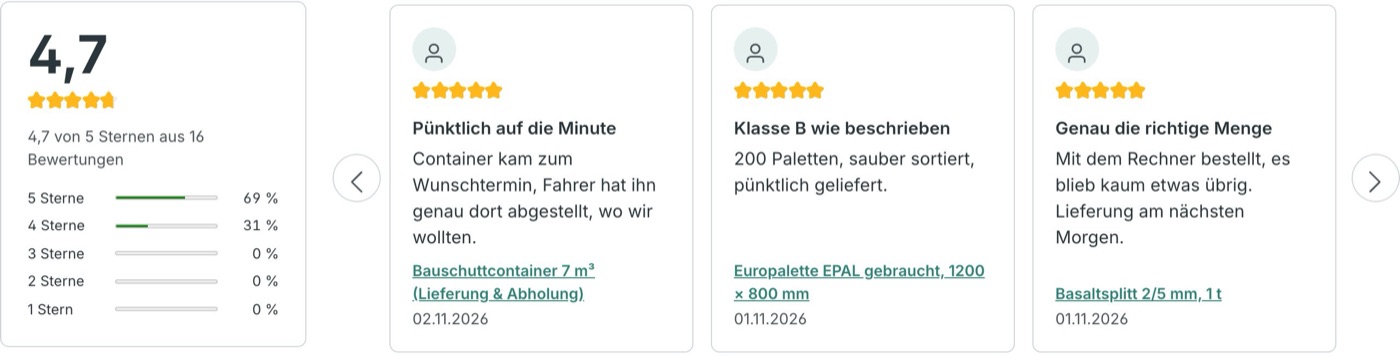
Customer reviews with star distribution
Reviews as a slider, one large quote, masonry or summary with average rating and star distribution. No customer names or initials are shown.
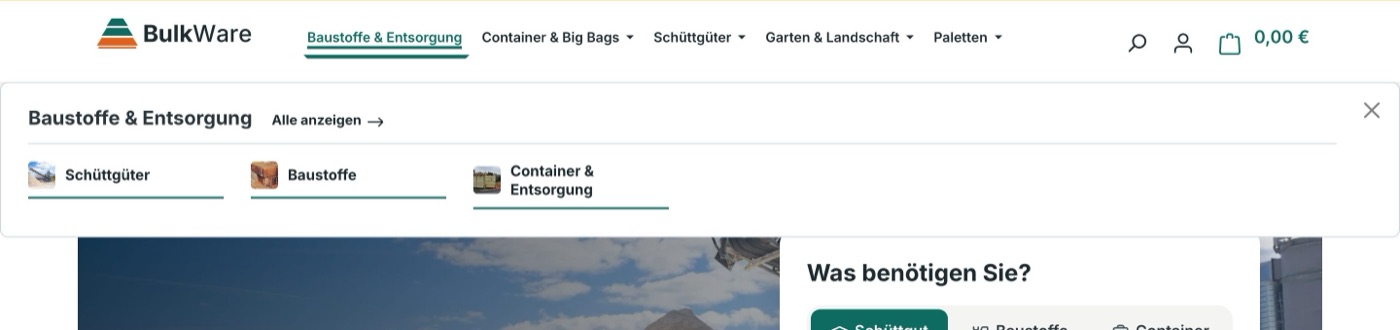
Mega menu “Modern” and “Columns”
Subcategories with images, a clear “Show all” link and – in the “Columns” layout – the category image as a teaser. The side preview only appears when the category has a description or an image.
Side menu with levels
A menu that slides in from the side: one column per category level, the category image as icon, a back button and “See all”. On smartphones only one column is shown at a time; focus stays in the menu and Escape closes it. Set it in the Theme Manager: menu type “Side menu (drill-down)”. In BulkWare the side menu is part of the Business plan.
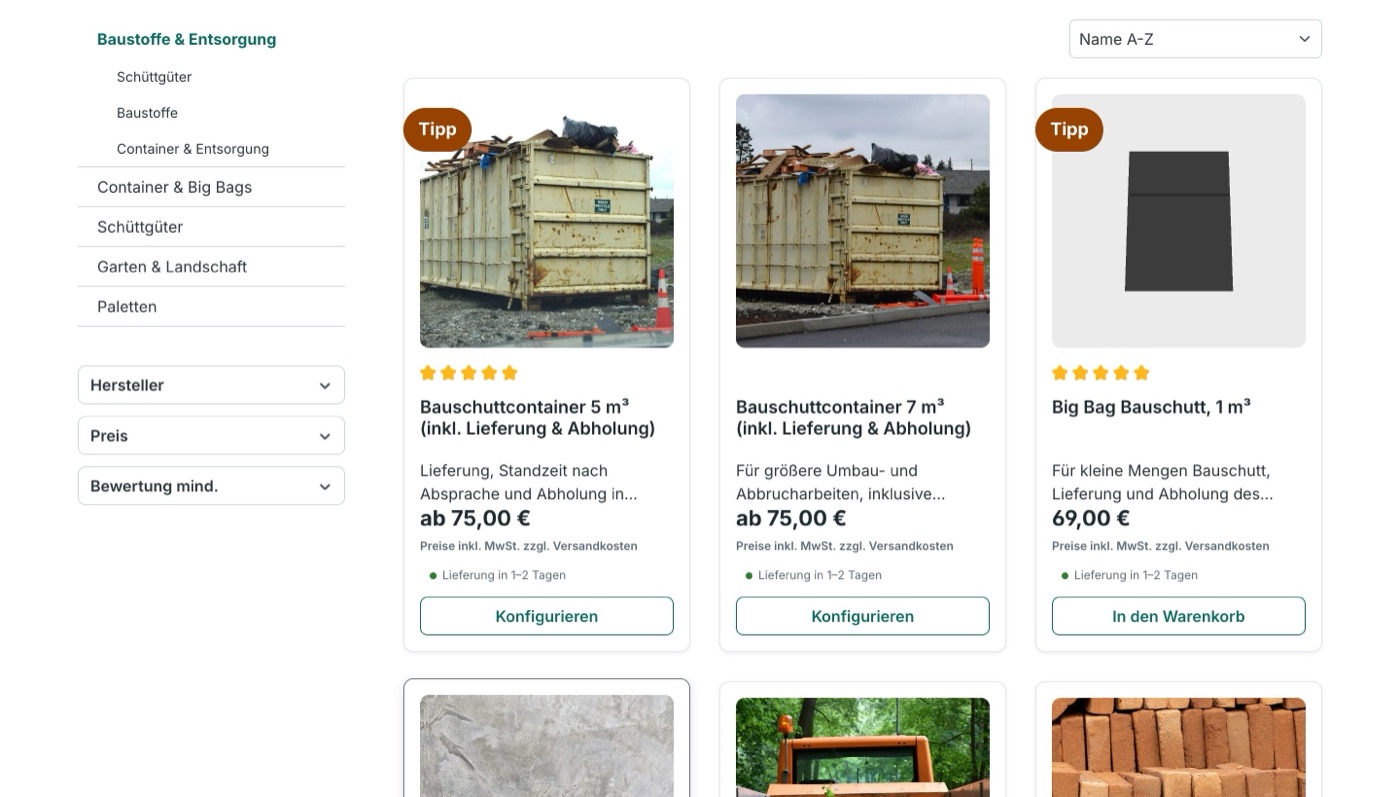
Three products per row
Category pages show three products per row next to the filter sidebar (adjustable). The buy button can be short or icon only; cards keep the same height with price and button at the bottom.
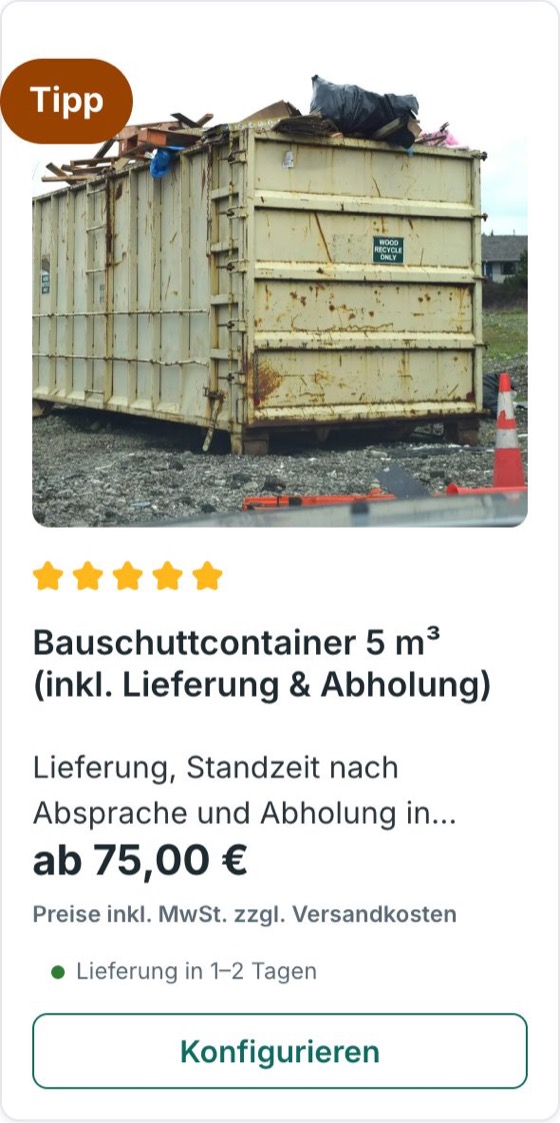
Product card with more details
If you like, every card shows the delivery status with a coloured dot, the product number and short details such as dimensions or weight, plus a “Pre-order” badge with the calendar week. Each detail can be switched off on its own (Theme Manager › Listing › “Details on the card”).
New blocks
- Season & trends: heading, text, image, 2–4 topic links and a button – for campaigns.
- Events: cards for trade fairs, open days, test-drive weekends or readings; past dates can hide themselves.
- Slider counter: product sliders with both arrows at the bottom right and “2 / 4”.
Trust texts in every language
Payment methods and trust seals in the footer, the trust box on the product page, the USP bar and the announcement bar can be translated with snippets: if the field contains the name of a snippet, its translation appears in the language of the page.