BookWare – Online Shop for Antiquarian Bookshops & Book Buyback
BookWare is a Shopware 6 theme for antiquarian bookshops, bookshops with a used book department and book buyback portals. Warm earth tones, wood accents and the serif typeface Lora create the atmosphere of a real bookstore. On top come the features a book shop needs: search by ISBN, a condition grade for every copy and a form for book buyback.
Highlights
- 🔎 ISBN search with title, author, publisher, year and buyback price
- 🏷️ Condition grading Very good (A), Good (B), Acceptable (C)
- 📦 Buyback form with instant price, condition choice and buyback basket
- 📖 "Book details" tab with ISBN-13, publisher, edition, pages and binding
- 📚 Classic bookshop design in warm earth tones
🔧 Installation
- Requirement: Shopware 6.7
- Install via the Shopware Store or as ZIP under Extensions > My extensions
- Install and activate the theme
🎨 Assign the theme
- Open Content > Themes and select BookWare.
- Assign the desired storefront sales channel under Sales channels.
- Save – Shopware compiles the theme automatically.
Fonts without external requests
BookWare uses Lora for headings and Inter for texts, prices and buttons. Both fonts are served by your shop itself – no Google Fonts or other external resources are loaded.
⚙️ Configuration
All settings are in the theme manager under Content > Themes > BookWare.
Colours, fonts and logo
| Setting | Default |
|---|---|
| Primary colour | #8b4513 (saddle brown) |
| Secondary colour | #2c3e50 (dark navy) |
| Background | #fdf8f0 (paper cream) |
| Border colour | #ddd0b8 |
| Text / headings | #333333 / #2c3e50 |
| Buy button | #8b4513, white text |
| Fonts | Lora (headings), Inter (texts) |
| Logo (desktop, tablet, mobile) | Your logo – shown in white on the dark header (can be switched off) |
Block "BookWare – contact & footer"
| Setting | Where it appears |
|---|---|
| Highlight text | Top bar, e.g. "Book buyback: instant price by ISBN" (links to the buyback page) |
| Opening hours | Top bar and footer |
| Top bar and footer (optional) | |
| Phone | Footer (optional) |
| Tagline | Footer, below the logo |
Empty fields are not shown in the shop.
Block "BookWare – storefront components"
| Switch | Default |
|---|---|
| Show header logo in white | on |
| ISBN search and buyback teaser on the home page | on |
| Author, condition and ISBN in product boxes | on |
| "Book details" tab with condition guide on the product page | on |
Block "BookWare – book buyback"
| Setting | Default |
|---|---|
| Category page showing the buyback form | none – select e.g. a category "Sell books" |
| Free shipping for buyback from number of books | 5 |
| Show buyback price in product boxes and on the product page | on |
📚 Maintaining book data
| Data | Where to maintain it in Shopware |
|---|---|
| ISBN-13 | Product > EAN |
| Publisher | Product > Manufacturer |
| Binding, edition, pages, language, year | Product > Properties |
| Condition (filter) | Property "Condition" with the values Very good (A), Good (B), Acceptable (C) |
For the property groups Condition, Binding and Language, enable "Display in product filter" – customers can then filter directly in the category.
Preview version
In the current version, author, condition grade and buyback price are read from the custom fields cnk_bookware_author, cnk_bookware_condition (a, b or c) and cnk_bookware_buyback_price. Dedicated input fields in the administration follow with the next version.
🧩 Storefront components
ISBN search
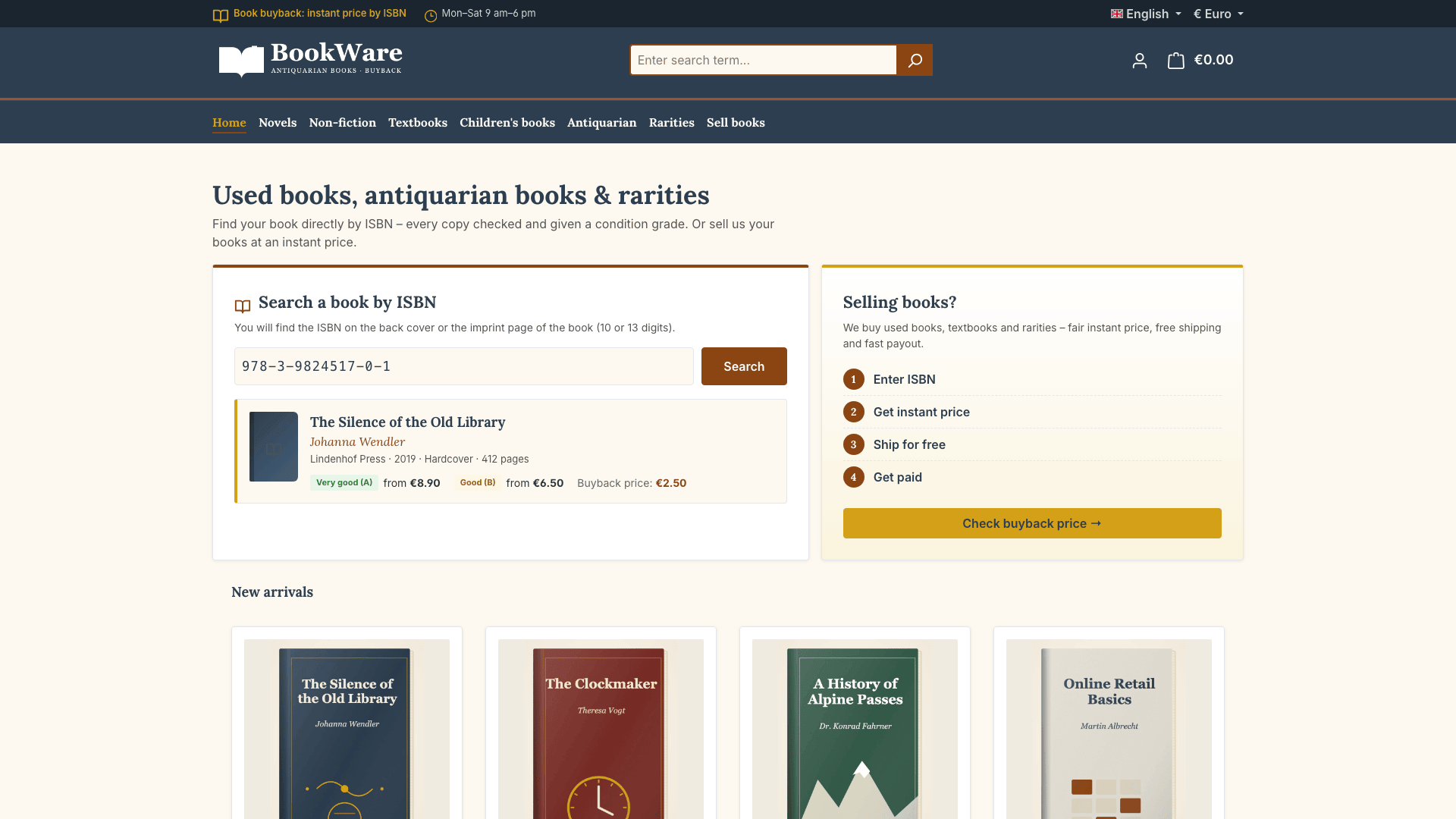
On the home page, customers search directly by ISBN and see title, author, publisher, year, the offers per condition and the current buyback price.
Condition grading
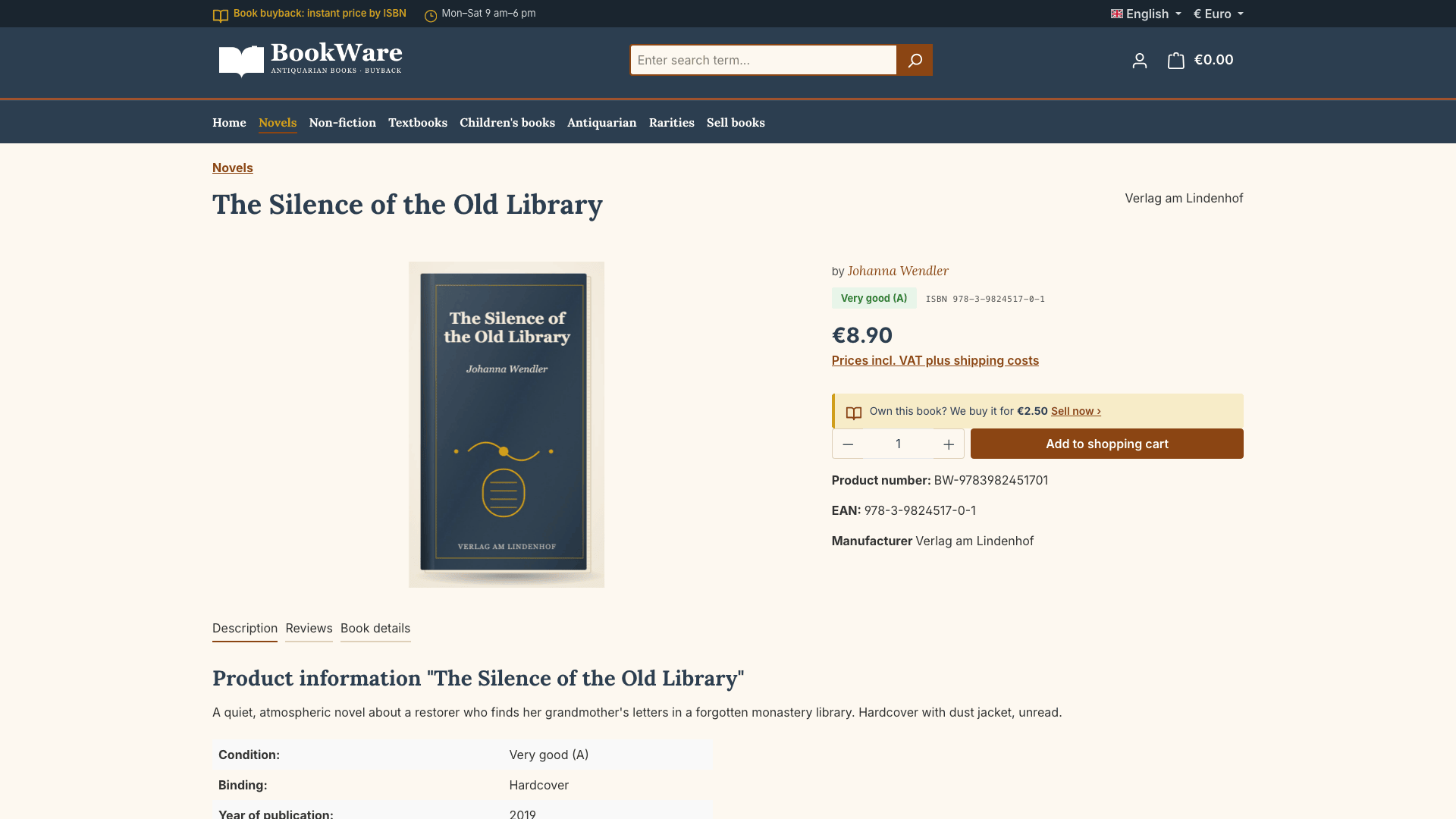
Every copy carries a condition grade, shown in colour on the product box and the product page:
| Grade | Meaning |
|---|---|
| Very good (A) | Like new. No signs of use, no markings. |
| Good (B) | Light signs of use on the cover, pages clean and tight. |
| Acceptable (C) | Clear signs of use or markings, but complete and easy to read. |
Product page: "Book details"
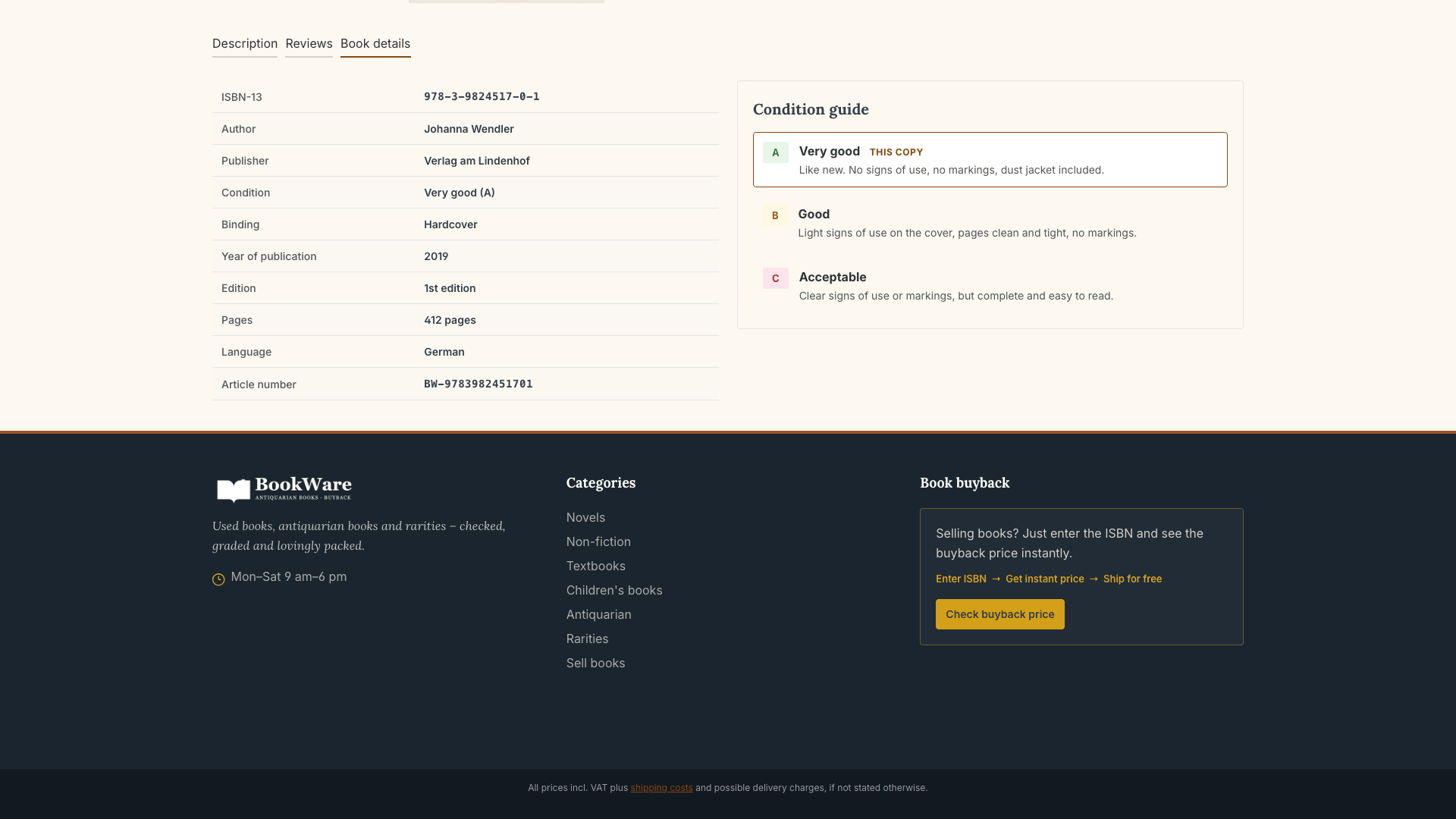
The "Book details" tab shows ISBN-13, author, publisher, all properties (year, edition, pages, binding, language) and the condition. Next to it, the condition guide explains the grades – the grade of the current copy is highlighted.
Book buyback
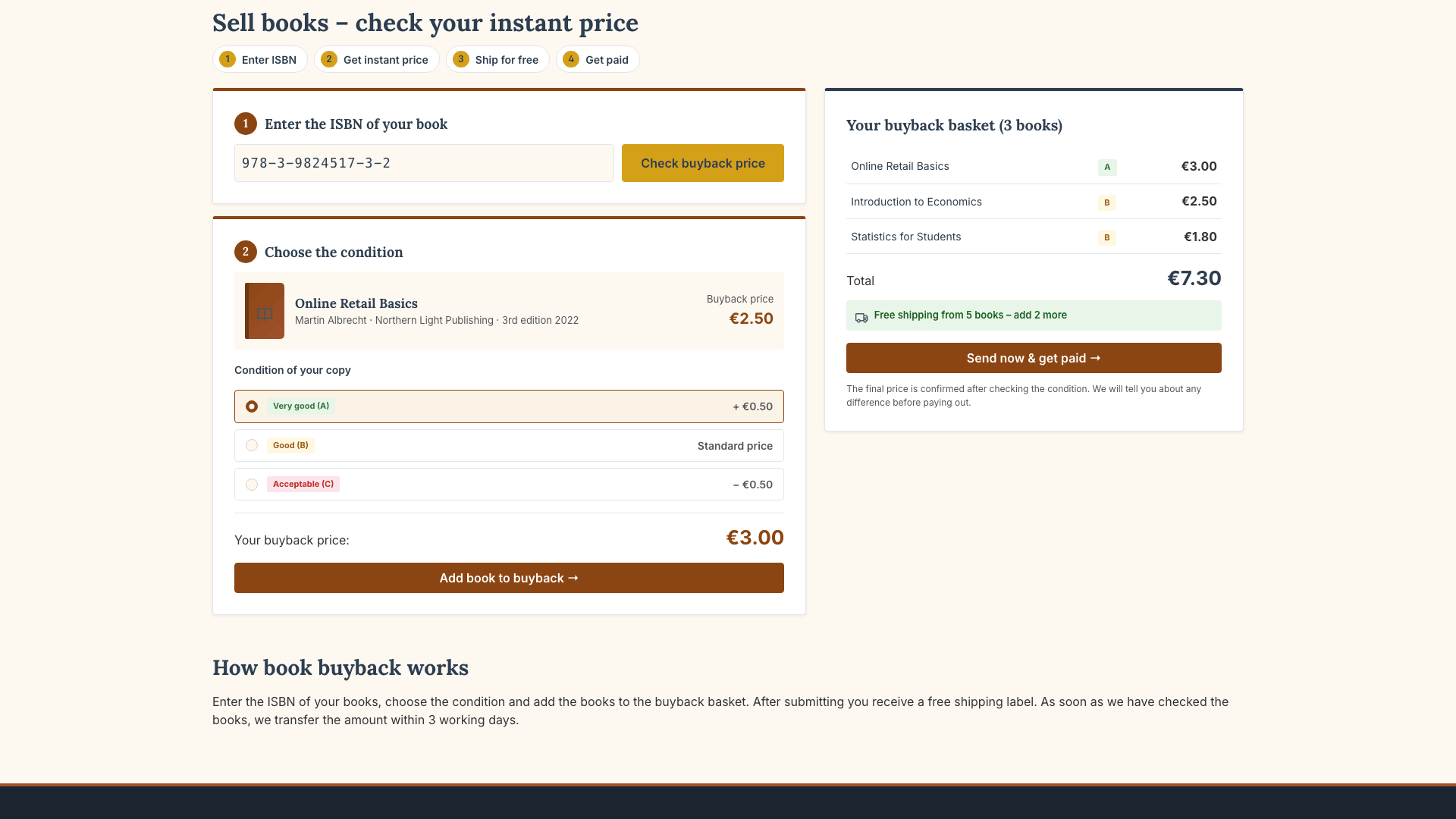
The category selected in the theme manager shows the buyback form: enter the ISBN, get an instant price, choose the condition, add the book to the buyback basket and send it in. The free shipping notice from a configurable number of books encourages larger shipments. Content from your shopping experience (e.g. "How book buyback works") appears below.
Categories and filters
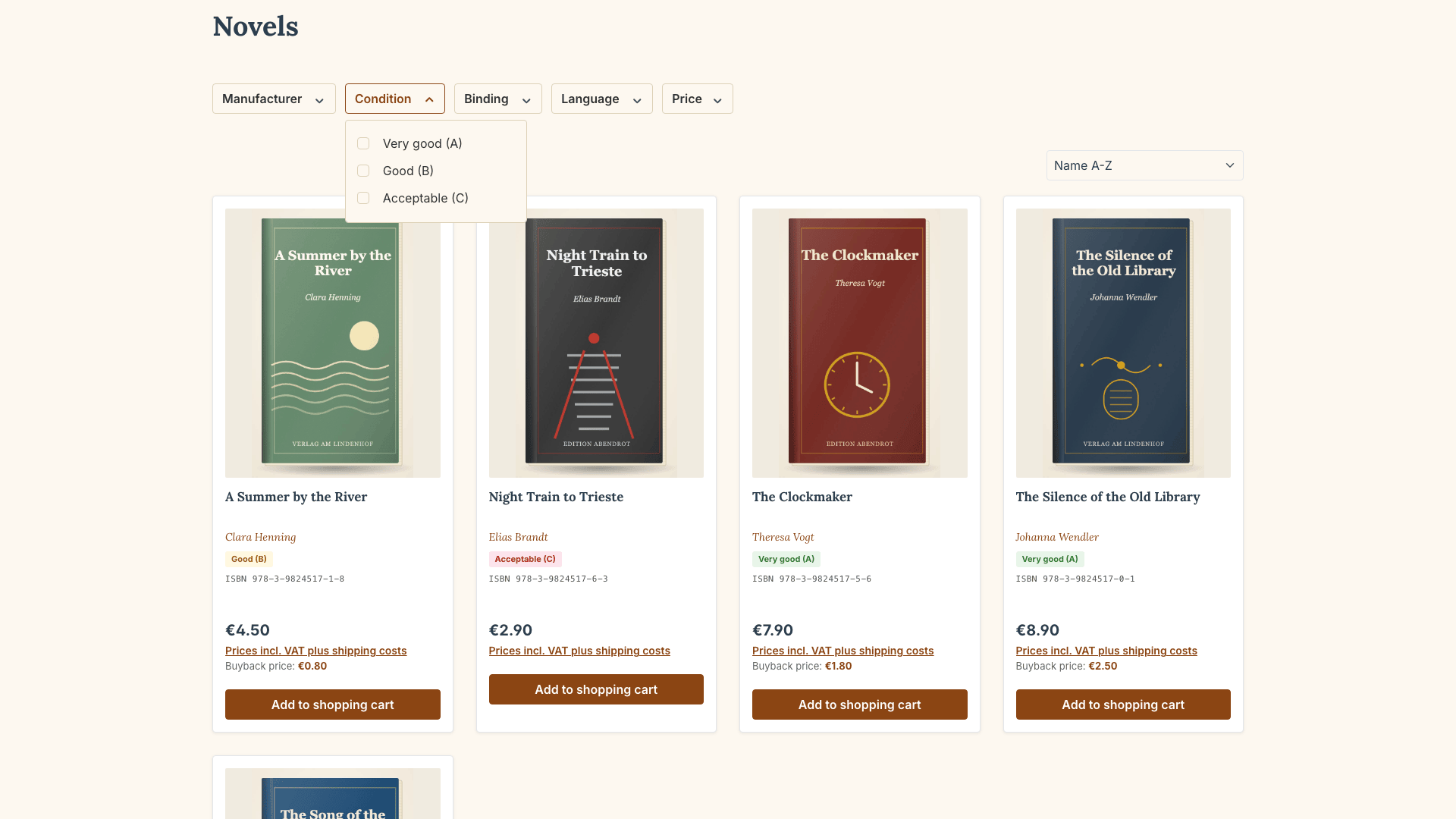
Book-format product boxes with portrait covers, author in italics, condition grade and ISBN. With the Condition filter, customers find exactly the quality they are looking for.
Header and footer
Navy header with white logo, top bar with buyback notice and opening hours, and a three-column footer with logo and contact, categories (footer navigation of your sales channel) and the buyback service.
✏️ Adjusting texts
All texts of the theme are snippets in German and English. You find them under Settings > Snippets with the prefix cnkBookWare.
🔒 Privacy (GDPR)
BookWare loads no external resources: no Google Fonts, no CDNs, no tracking scripts. All files are served by your own Shopware installation.
❓ FAQ
Which retailers is the theme suitable for?
For antiquarian bookshops, book buyback portals, bookshops with a used book department, textbook dealers, specialist book dealers and dealers in collector books and rarities.
Where do I maintain ISBN and publisher?
The ISBN-13 in the product's EAN field, the publisher as manufacturer. Binding, edition, pages and language are created as properties.
Can I hide individual components?
Yes. ISBN search and buyback teaser, product badges, buyback price, the "Book details" tab and the white header logo can each be switched on and off.
Which Shopware version is required?
Shopware 6.7. No further plugins are required.
Further documentation content and screenshots will follow with the next versions of the theme.
📬 Support
For questions, suggestions for improvement or individual adjustments, contact us by email at support@cnk-plugins.de.