AutoWare – Theme for Auto Parts & Car Accessories
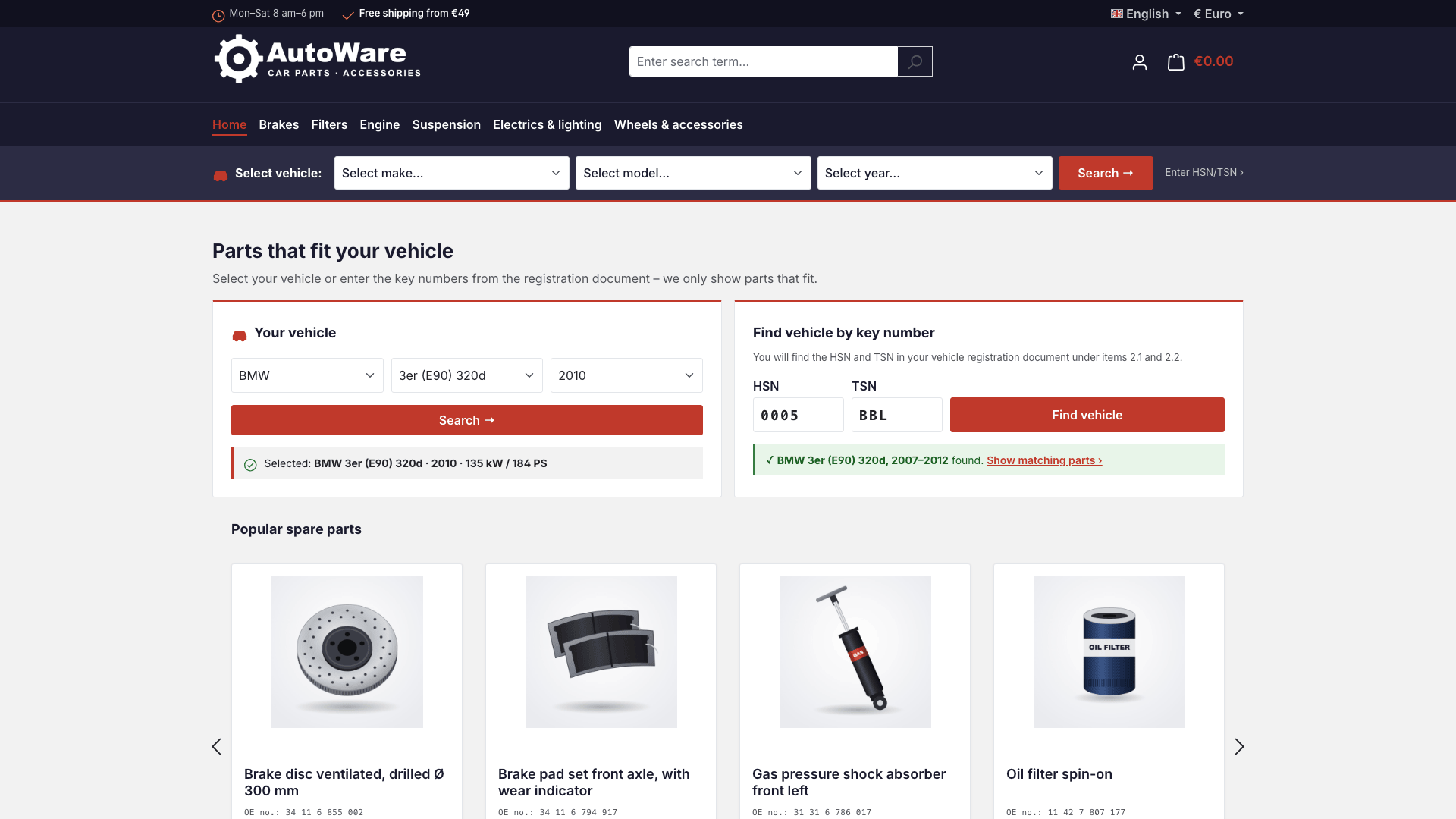
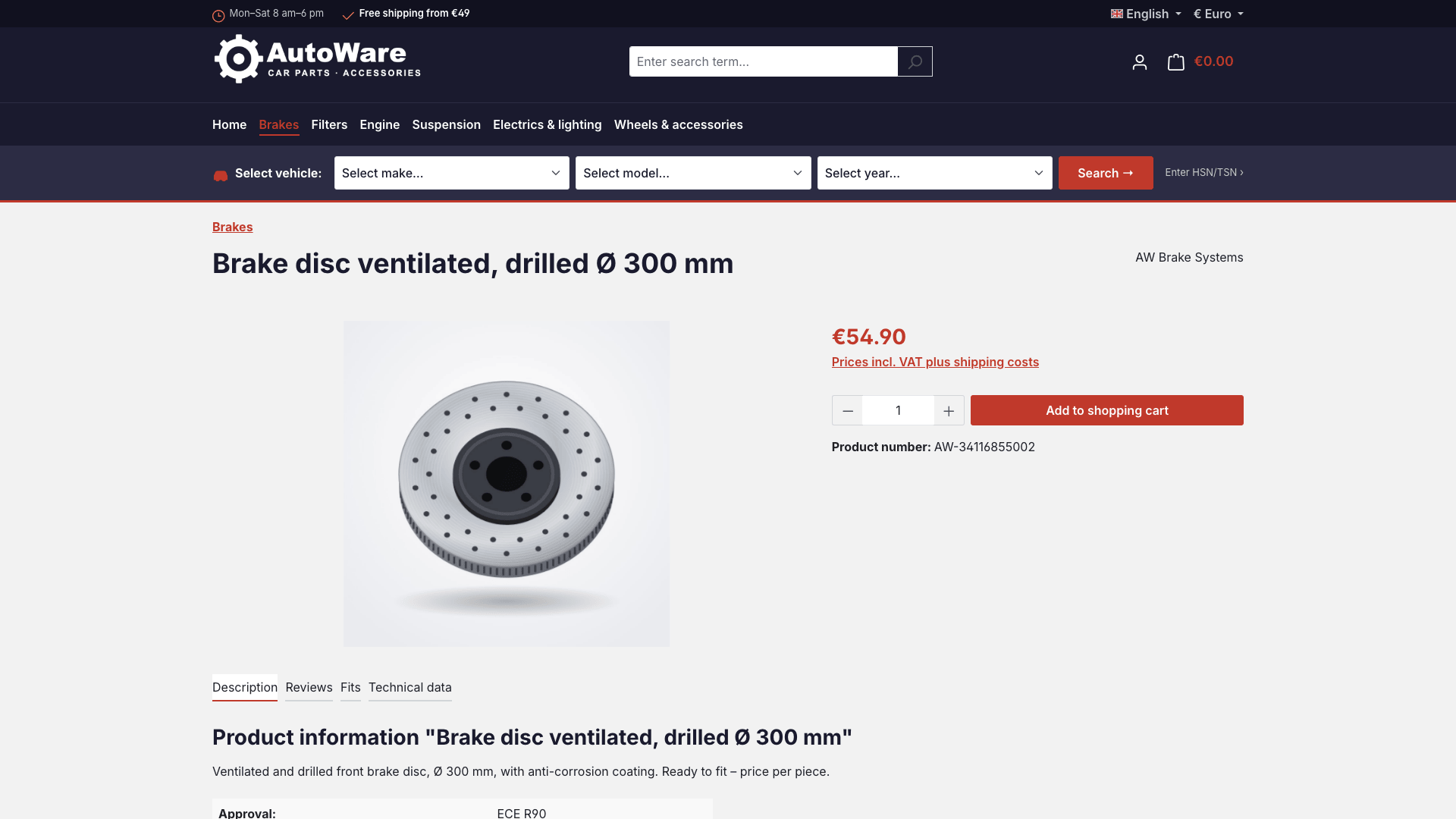
AutoWare is a Shopware 6 theme for retailers who sell spare parts, car accessories and workshop supplies online. The dark, technical design in the style of a professional parts catalogue builds trust, and the vehicle search guides your customers to the right part in a few steps: select the vehicle or enter the key numbers from the registration document, check compatibility on the product page, order.
Highlights
- 🚗 Vehicle search by make, model and year below the main navigation
- 🔑 HSN/TSN search with the key numbers from the vehicle registration document
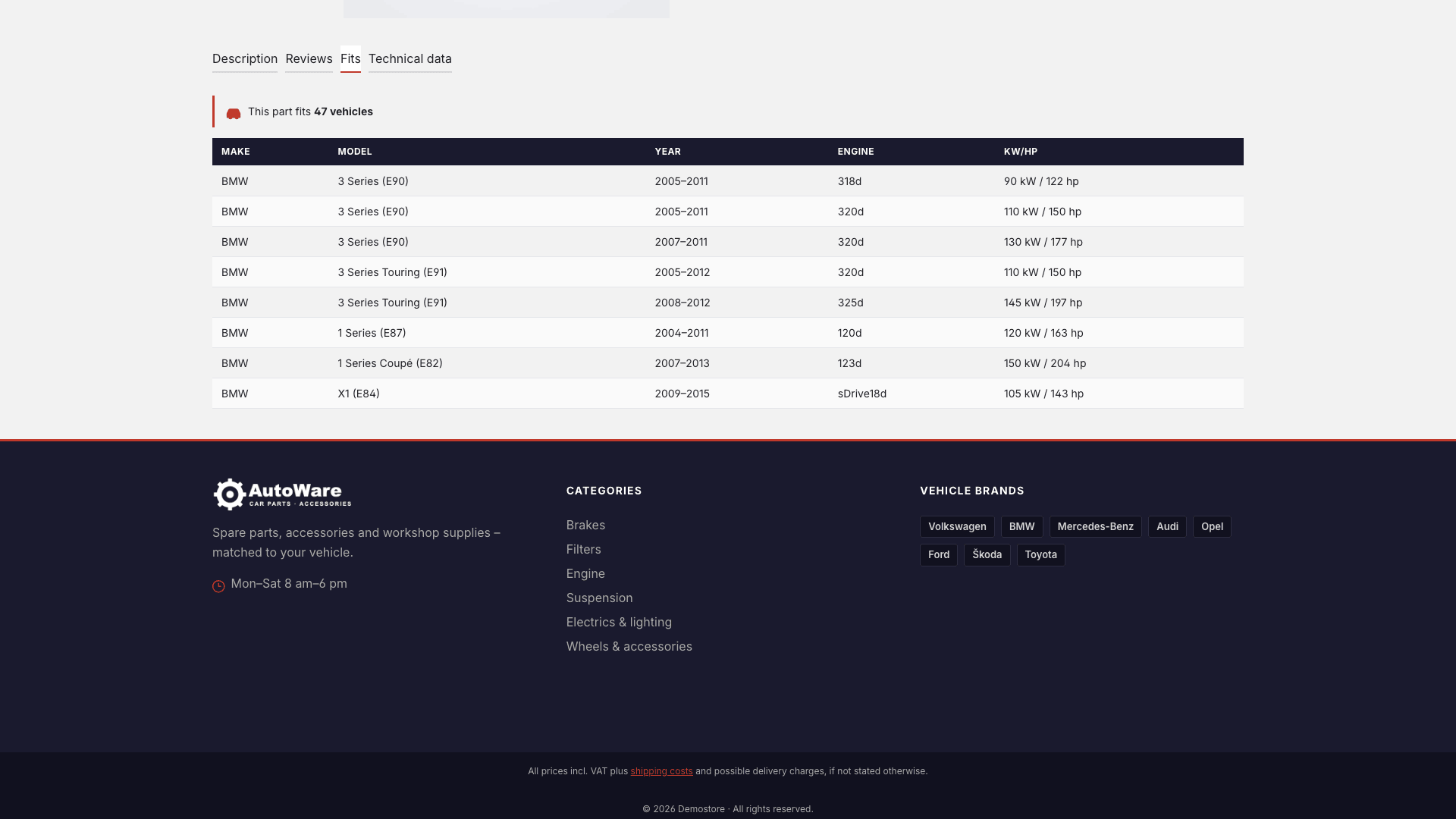
- ✅ "Fits" tab listing all compatible vehicles
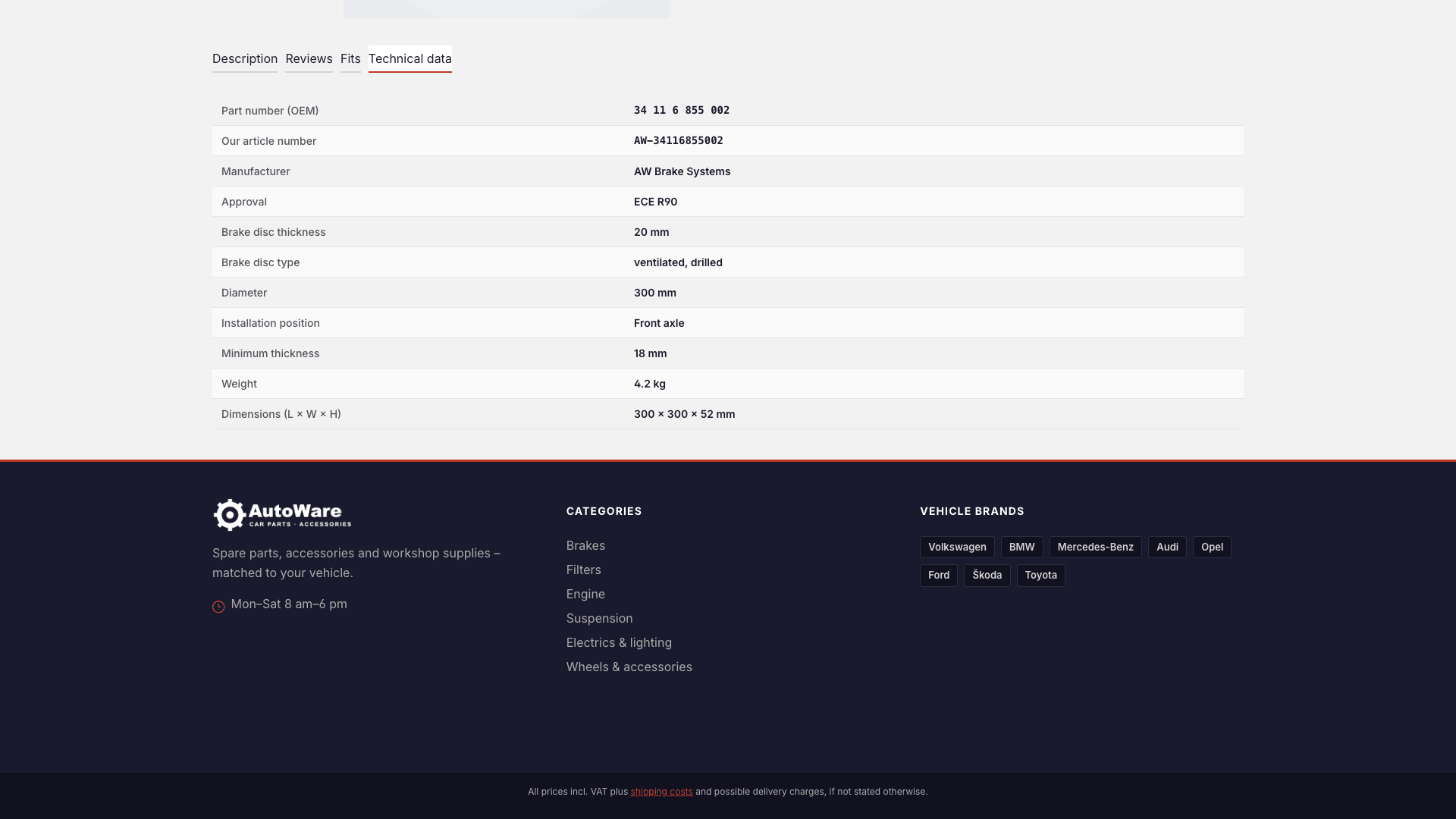
- 📋 Technical data with OE number, installation position, weight and dimensions
- 🛠️ Automotive design in the style of a parts catalogue
🔧 Installation
- Requirement: Shopware 6.7
- Install via the Shopware Store or as a ZIP under Extensions > My extensions
- Install and activate the theme
🎨 Assign the theme
- Open Content > Themes and select AutoWare.
- Assign the desired storefront sales channel under Sales channels.
- Save – Shopware compiles the theme automatically.
Inter font without external requests
AutoWare uses the Inter font, which Shopware serves itself. No Google Fonts or other external resources are loaded.
⚙️ Configuration
All settings are in the theme manager under Content > Themes > AutoWare.
Colours, font and logo
| Setting | Default |
|---|---|
| Primary colour | #c0392b (racing red) |
| Secondary colour | #1a1a2e (midnight black) |
| Border colour | #d5d5d5 |
| Text / headline colour | #222222 / #1a1a2e |
| Price and buy button | #c0392b, white text |
| Font | Inter |
| Logo (desktop, tablet, mobile) | Your logo – shown in white on the dark header (can be switched off) |
Block "AutoWare – contact & footer"
| Setting | Where it appears |
|---|---|
| Phone, email | Top bar and footer (optional) |
| Service hours | Top bar and footer |
| Highlight text | Top bar, e.g. "Free shipping from €49" |
| Tagline | Footer, below the logo |
| Vehicle brands | Footer, column "Vehicle brands" (comma-separated, e.g. Volkswagen, BMW, Audi) |
Empty fields are not shown in the shop.
Block "AutoWare – storefront components"
| Switch | Default |
|---|---|
| Show header logo in white | on |
| Vehicle search bar below the main navigation | on |
| Vehicle and HSN/TSN search on the home page | on |
| OEM number and badges in product boxes | on |
| "Fits" tab on the product page | on |
| "Technical data" tab on the product page | on |
🧩 Storefront components
Vehicle search
Below the main navigation, customers select make, model and year. On the home page the vehicle search is also shown as a large widget next to the HSN/TSN search, above the content of your shopping experience.
HSN/TSN search
Customers enter the manufacturer key number (HSN) and the type key number (TSN) from the German vehicle registration document (items 2.1 and 2.2) and find their vehicle directly.
Product page: "Fits"
The "Fits" tab lists all compatible vehicles with make, model, year, engine and power. The tab only appears when vehicles are stored for the product.
Product page: "Technical data"
The "Technical data" tab is filled automatically from the product data:
| Row | Source in Shopware |
|---|---|
| Part number (OEM) | Product > manufacturer number |
| Our article number | Product number |
| Manufacturer | Product > manufacturer |
| Attributes (e.g. installation position, diameter, minimum thickness) | Product > properties |
| Weight, dimensions (L × W × H), EAN | Product > measures & packaging, EAN |
Installation position filter
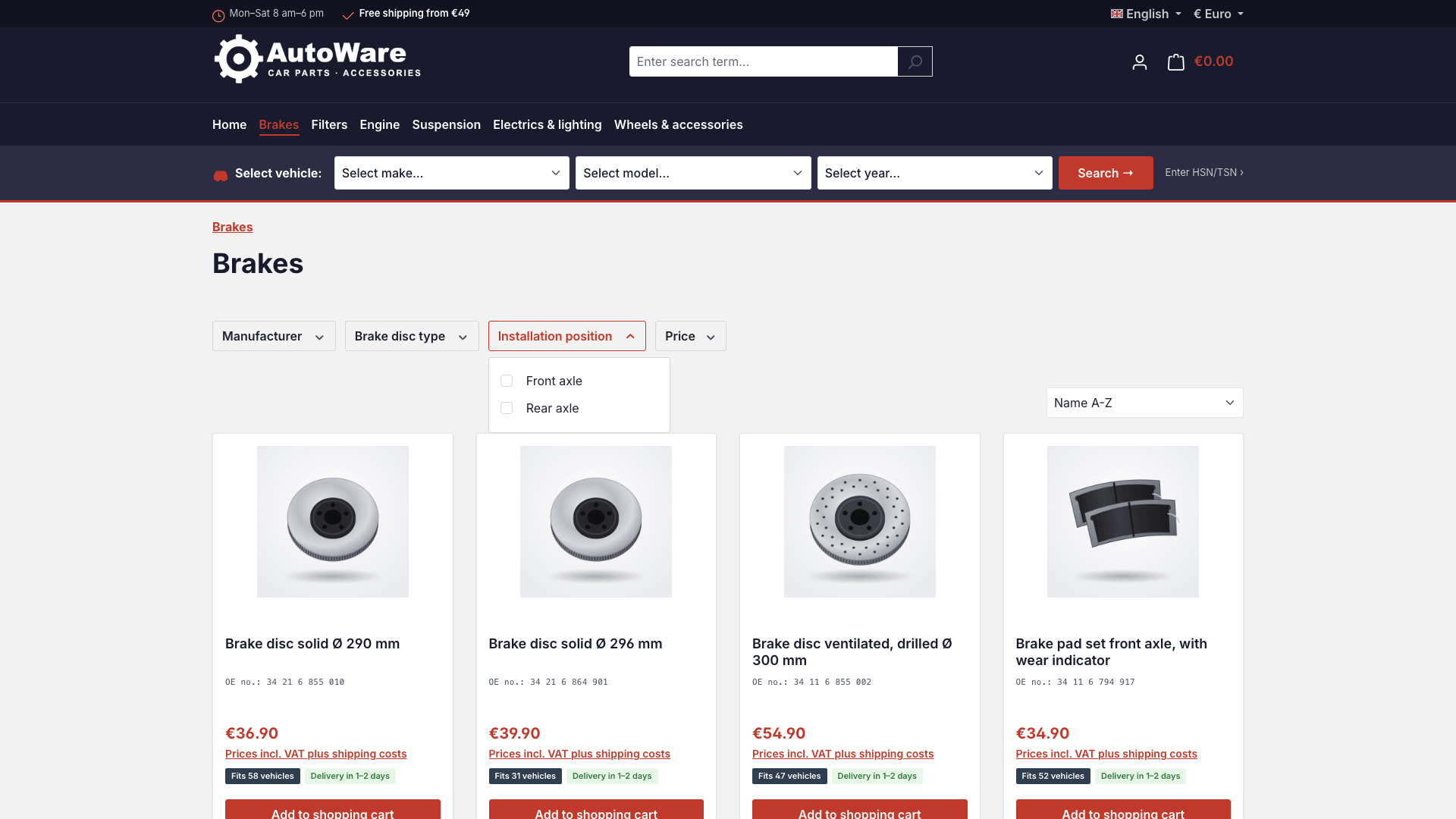
Create the installation position as a property (e.g. front axle, rear axle, left, right) and enable "Display in product filter" on the property group. Customers can then filter brake discs, shock absorbers or bearings directly in the category.
Product boxes
The OE number (manufacturer number) is shown below the product name, and the "Fits X vehicles" and delivery time badges below the price. The long product description is hidden in the box – for a clean catalogue look.
Header and footer
Dark header with white logo, top bar with service hours and highlight text, and a three-column footer with logo and contact, categories (footer navigation of your sales channel) and vehicle brands.
✏️ Adjust texts
All texts of the theme are snippets in German and English. You will find them under Settings > Snippets with the prefix cnkAutoWare.
🔒 Privacy (GDPR)
AutoWare loads no external resources: no Google Fonts, no CDNs, no tracking scripts. All files are served by your own Shopware installation.
❓ FAQ
Which retailers is the theme suitable for?
For auto parts dealers, tuning and accessory shops, motorcycle and scooter parts dealers, vintage car specialists and dealers of tyres, rims and workshop equipment.
Where do the OE number and the technical data come from?
The OE number is the product's manufacturer number. Installation position and further attributes are maintained as properties, weight, dimensions and EAN in the product master data.
Can I hide individual components?
Yes. Vehicle search, HSN/TSN search, product badges, the "Fits" and "Technical data" tabs and the white header logo can each be switched on and off.
Which Shopware version is required?
Shopware 6.7. No further plugins are required.
Further documentation and screenshots will follow with the next versions of the theme.
📬 Support
For questions, suggestions for improvement or individual adjustments, please contact us by email at support@cnk-plugins.de.