Ship to Multiple Addresses
This plugin allows customers to split an order during checkout across multiple delivery addresses. Similar to well-known marketplaces, individual products or quantities can be assigned to different recipients without having to place multiple orders.
The extension integrates seamlessly into the Shopware checkout and provides a convenient way to handle orders for family members, business partners, employees, or gift recipients in a single order process.
On top of the split itself, the plugin adds optional gift options (mark items as a gift with a message and paid gift wrap), an optional different shipping method per recipient, and — in the administration — a per-recipient delivery overview and per-recipient delivery notes.
Highlights
- 🚚 Split orders across multiple delivery addresses
- 👥 Manage multiple recipients within one order
- 🎁 Optional gift wrapping & gift message per item
- 🚛 Optional different shipping method per recipient
- 📄 Per-recipient delivery notes in the administration
- 🏢 Perfect for B2B, corporate and gift orders
- ⚡ Seamless integration into the Shopware checkout
❓ FAQ
Can I split an order across multiple delivery addresses?
Yes. Customers can assign products or quantities to different delivery addresses during checkout.
Can multiple recipients be included in one order?
Yes. A single order can be shipped to multiple recipients simultaneously.
Does the plugin work with the standard Shopware checkout?
Yes. The plugin integrates directly into the standard Shopware checkout.
Can each recipient have a different shipping method?
Optionally. When Allow a different shipping method per recipient is enabled, the customer can pick a shipping method for each recipient address and the shipping costs are shown per recipient. When it is disabled (default), all recipients ship with the shipping method selected for the whole order.
Can items be gift-wrapped or sent with a gift message?
Optionally. When Enable gift options is active, each item in the "ship to multiple addresses" dialog can be marked as a gift with an optional message and packed in a paid gift wrap. The gift wrap is added to the cart as its own line item.
Can I print a delivery note per recipient?
Yes. For split orders the order detail in the administration offers a delivery overview and a Generate all delivery notes action that creates one delivery note document per recipient.
How are shipping costs calculated?
Calculation depends on the respective Shopware configuration and the shipping methods used. With per-recipient shipping enabled, costs are calculated and shown per recipient address.
🔧 Installation
Compatibility
Compatible with Shopware 6.5, 6.6.9 and higher, and 6.7. The Shopware Store automatically delivers the version that matches your Shopware release. Shops on Shopware 6.6.0 – 6.6.8 should update to at least 6.6.9 (the gift options build on Shopware's In-App Purchase feature, which is available from 6.6.9).
- Prerequisite: CNK Foundation Plugin
- Installation via Shopware Store
- Install and activate the plugin in the Shopware Plugin Manager
- Configure in the administration area (see Configuration below)
⚙️ Configuration
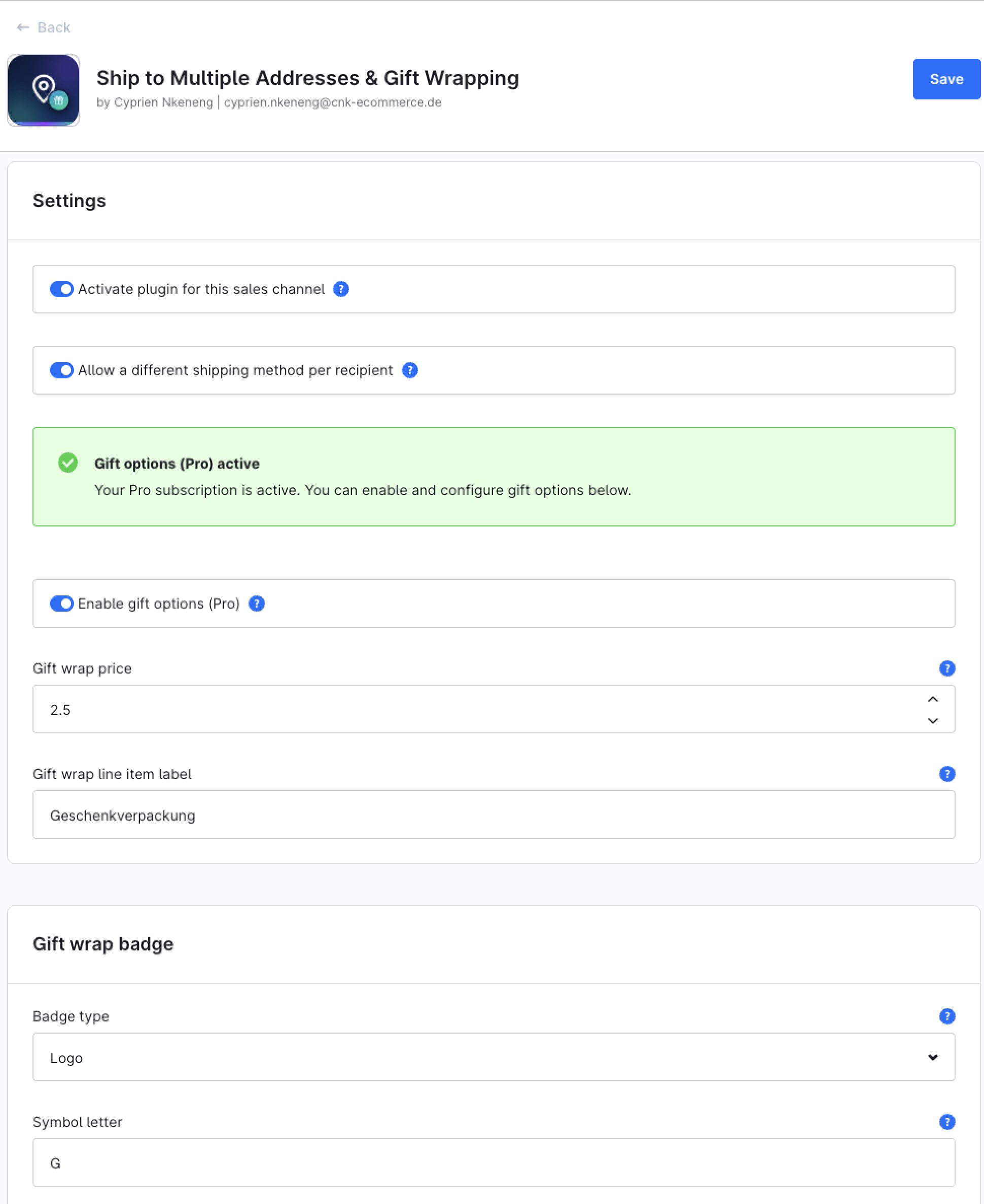
Open Settings → System → Plugins → Ship to Multiple Addresses → Configuration (or the plugin's settings card) to adjust:
| Setting | Default | Description |
|---|---|---|
| Activate plugin for this sales channel | Off | Master switch. When disabled (default), none of the plugin's features are shown or executed in this sales channel's storefront. Enable it per sales channel to use the plugin. |
| Allow a different shipping method per recipient | Off | If off, every recipient ships with the shipping method selected for the whole order. If on, the customer can pick a different shipping method for each recipient address, and shipping costs are shown per recipient. |
| Enable gift options | Off | If on, each item in the "ship to multiple addresses" dialog can be marked as a gift with an optional message and packed in a paid gift wrap. |
| Gift wrap price | 2.50 | Added to the cart as its own line item for every item the customer chooses to have gift-wrapped. |
| Gift wrap line item label | Geschenkverpackung | The name shown for the gift wrap charge in the cart, checkout and order. |
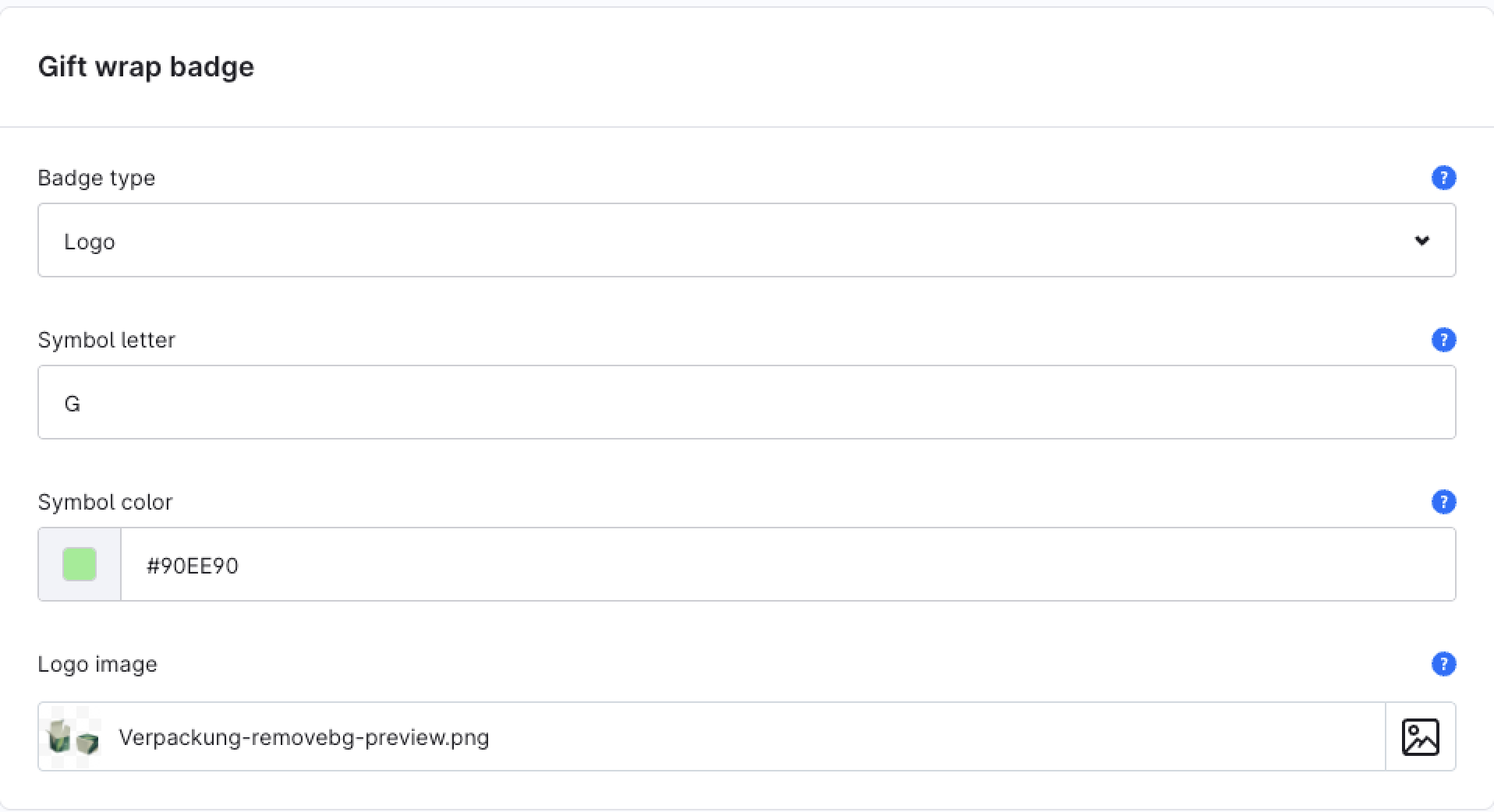
Optionally, the gift wrap badge can be customised – as a coloured symbol with a letter or as your own logo:
🚚 Deliveries to Multiple Addresses
After installation, customers can select multiple delivery addresses or add new delivery addresses during the ordering process.
Depending on the configuration:
- Individual products can be assigned to different recipients
- Product quantities can be distributed across multiple delivery addresses
- Multiple recipients can be managed within one order
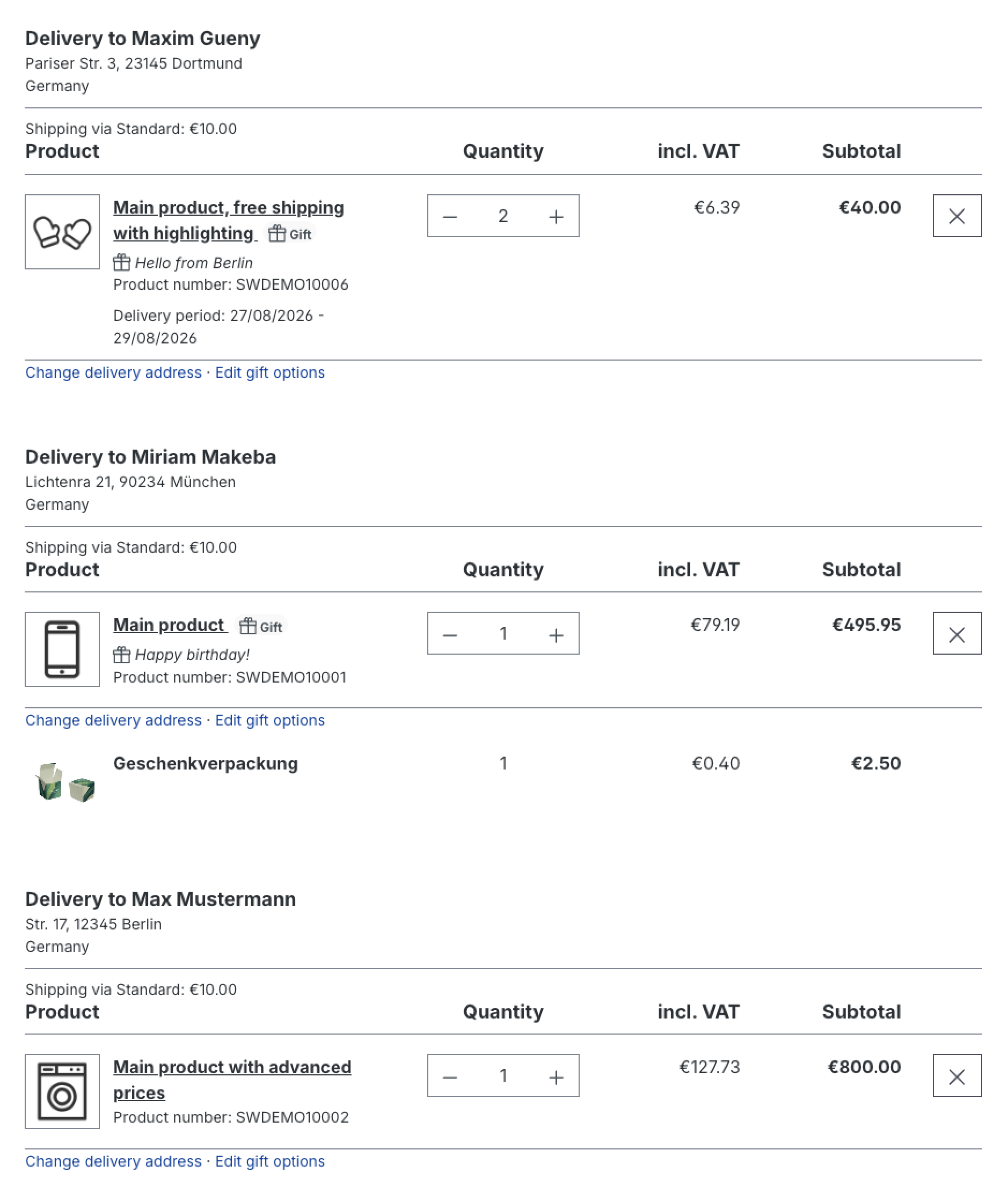
This eliminates the need to place multiple orders for different delivery destinations. The per-recipient split is shown on the checkout confirm and finish pages and in the customer's account order history.
🎁 Gift Options
Pro feature (In-App Purchase)
On Shopware 6.6.9 and higher, and 6.7, gift options are a Pro feature: they are unlocked via an In-App Purchase directly in the Shopware administration. Without an active Pro subscription the gift options are not shown at checkout. On Shopware 6.5 the gift options are included without a Pro purchase.
When gift options are enabled, the "ship to multiple addresses" dialog lets the customer, per item:
- Mark the item as a gift
- Add an optional gift message
- Add a paid gift wrap, which appears as its own line item in the cart, checkout and order (using the configured price and label)
Gift items are flagged in the order so shop staff can recognise them (see the administration below).
🚛 Shipping Method per Recipient
When Allow a different shipping method per recipient is enabled, each recipient address can use its own shipping method. Shipping costs are then calculated and displayed per recipient instead of once for the whole order. When the option is disabled, the standard single shipping method for the order applies to all recipients.
🛠️ In the Administration
For orders that were split across several recipients, the order detail adds:
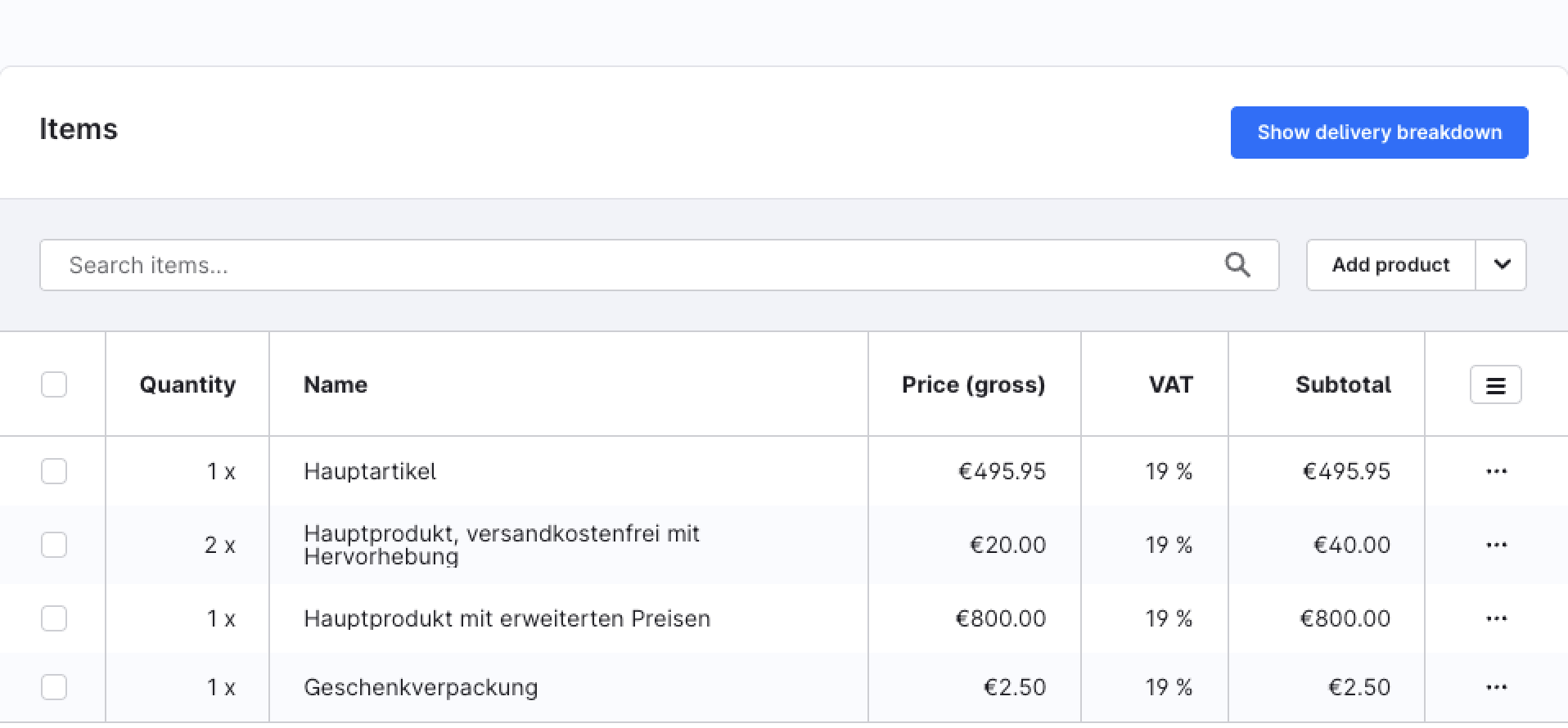
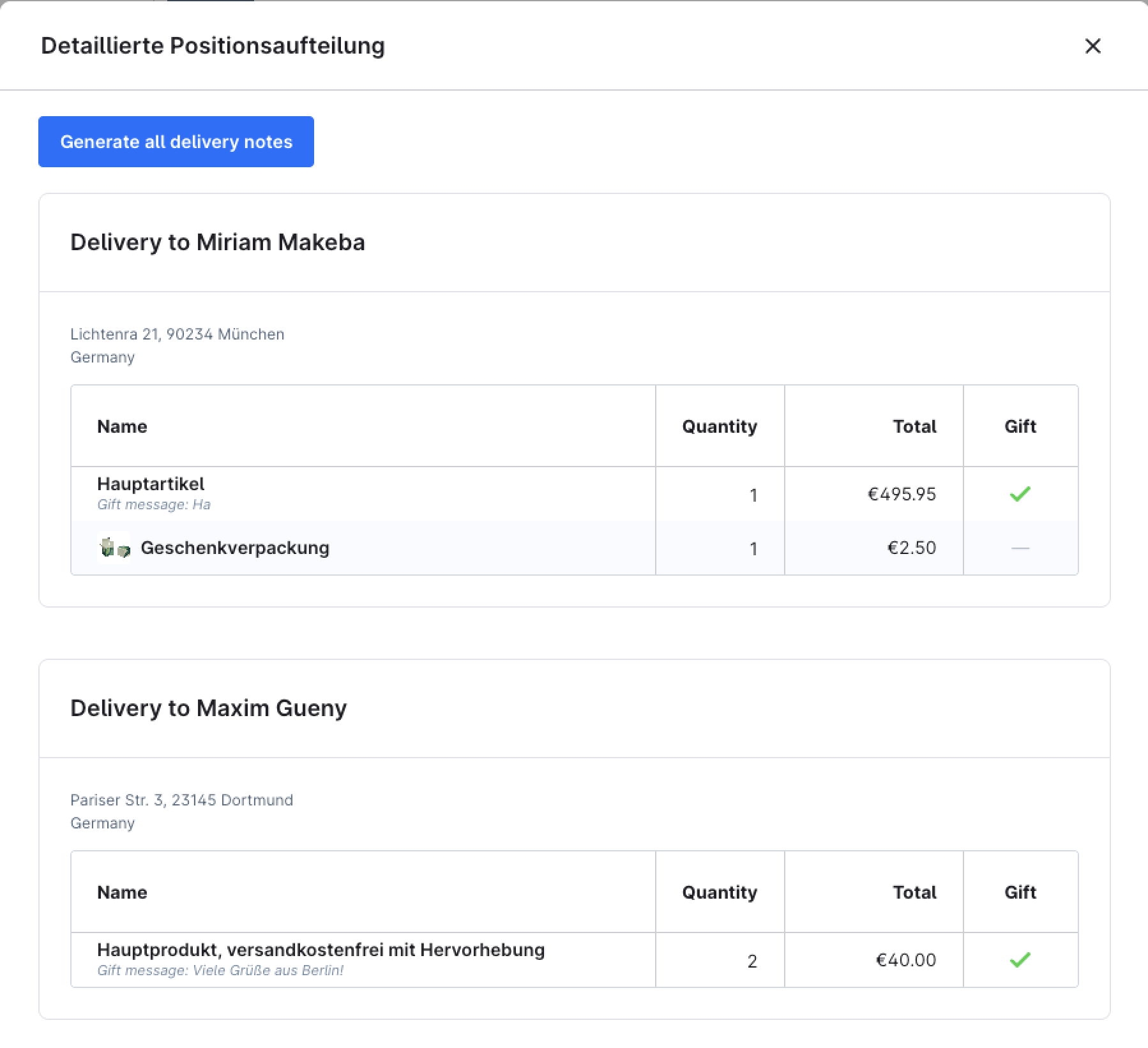
- Delivery overview – a Show delivery breakdown button opens an overview with one grid per recipient, showing which items (and quantities) go to which address, the per-recipient totals and a gift badge for gift items.
- Item address – a line-item action shows the recipient address an individual item is shipped to.
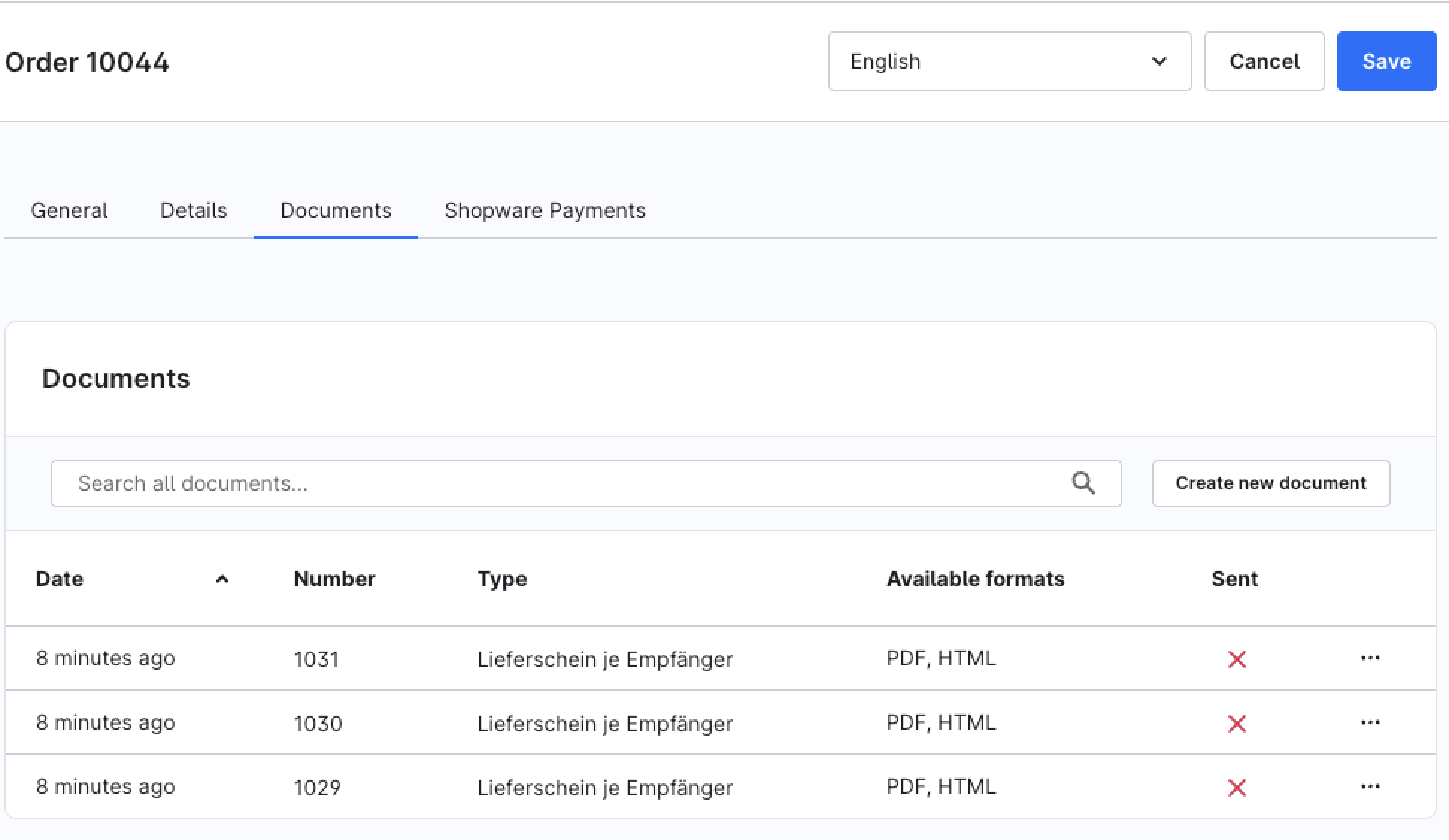
- Per-recipient delivery notes – a Generate all delivery notes action creates one "Delivery note per recipient" document per recipient address at once. The documents appear in the order's Documents tab like any other generated document.
The Show delivery breakdown button in the order's line-items card opens the delivery overview:
The Generate all delivery notes action creates one delivery note document per recipient, shown in the order's Documents tab:
💡 Typical Use Cases
Gift Orders
Customers can send different products directly to different recipients — optionally gift-wrapped and with a personal message.
Family Orders
Multiple family members order together and receive their products at different addresses.
Corporate Orders
Products can be distributed across multiple locations, branches, or employees — optionally with a different shipping method per location.
Bulk Orders
One order is placed centrally and then distributed to multiple delivery locations, with a delivery note per recipient for fulfilment.
⭐ Benefits for Shop Owners
- Improved customer experience in checkout
- Higher conversion for gift and bulk orders
- Additional gift-wrap revenue via the paid gift option
- Reduced cart abandonment
- Efficient fulfilment thanks to the per-recipient delivery overview and delivery notes
- Attractive additional feature for B2C and B2B shops
🧩 Feature Scope
- Split an order across multiple delivery addresses
- Assign individual products or quantities per recipient
- Manage multiple recipients within one order
- Optional gift options: gift flag, gift message and paid gift wrap per item
- Optional different shipping method (and shipping costs) per recipient
- Administration: per-recipient delivery overview and item-to-address view
- Per-recipient delivery note documents
- Per-recipient split shown in the customer's account order history
- Integration into the Shopware standard checkout
- Support for B2C and B2B use cases
📬 Support
For questions, improvement suggestions or individual adjustments, contact us by email at support@cnk-plugins.de.