Automatic PDF creation
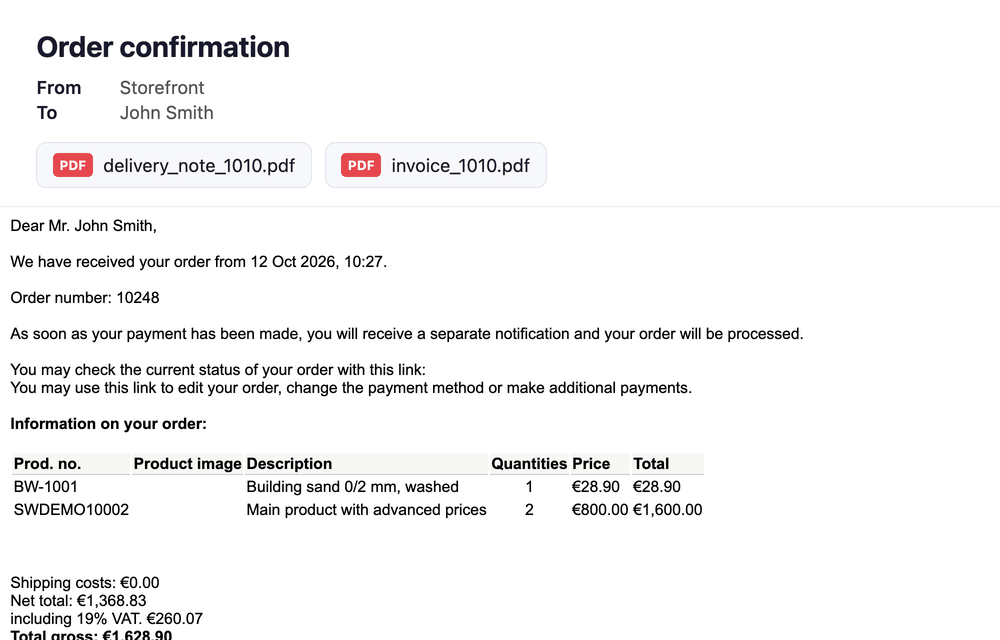
With the Automatic PDF creation plugin, Shopware automatically creates the invoice and the delivery note when an order is placed and attaches both as PDF to the order confirmation – with no extra email to the customer.
Per sales channel you decide which documents are created always or only after payment, whether the customer receives them and who gets a copy (e.g. accounting or the warehouse). Shipping methods can be excluded from the delivery note.
Highlights
- 📄 Invoice & delivery note automatically when the order is placed
- 📧 PDF attached to the order confirmation – no separate email
- 💳 Documents only once the payment status is "Paid" if you like
- 📬 Copy to accounting, warehouse or delivery service
- 🚚 Exclude shipping methods from the delivery note
- 🛡️ The order confirmation is always sent – even if a document fails
❓ FAQ
Which documents does the plugin support?
The Shopware standard documents invoice and delivery note. They are created with your document templates and number ranges from Settings > Documents.
Does the customer get an extra email?
No. The PDFs are attached to the order confirmation. A document created after payment is attached to the "Paid" status mail.
What happens if a document cannot be created?
The order confirmation is sent anyway – without that document. The error is written to the Shopware log (entries "Automatic documents: …").
Are documents attached twice or copies sent several times?
No. Documents already sent are not attached again, and every copy goes out exactly once per document.
Is another plugin required?
No. As of version 7.0.0 / 6.0.0 / 5.0.0 the CNK Foundation plugin is no longer required.
🔧 Installation
- Buy or test the plugin in the Shopware Store
- Install and activate it under Extensions > My extensions
- Use "Configure" to set it up per sales channel (see below)
- In the Flow Builder, the flow "Order placed" must send the order confirmation (Shopware default)
⚙️ Configuration
The settings are under Extensions > My extensions > Automatic PDF creation > Configure. Choose the sales channel at the top; without a choice the values apply to all sales channels.
General
| Setting | Description |
|---|---|
| Active | Switches the plugin on or off for the sales channel. |
Invoice
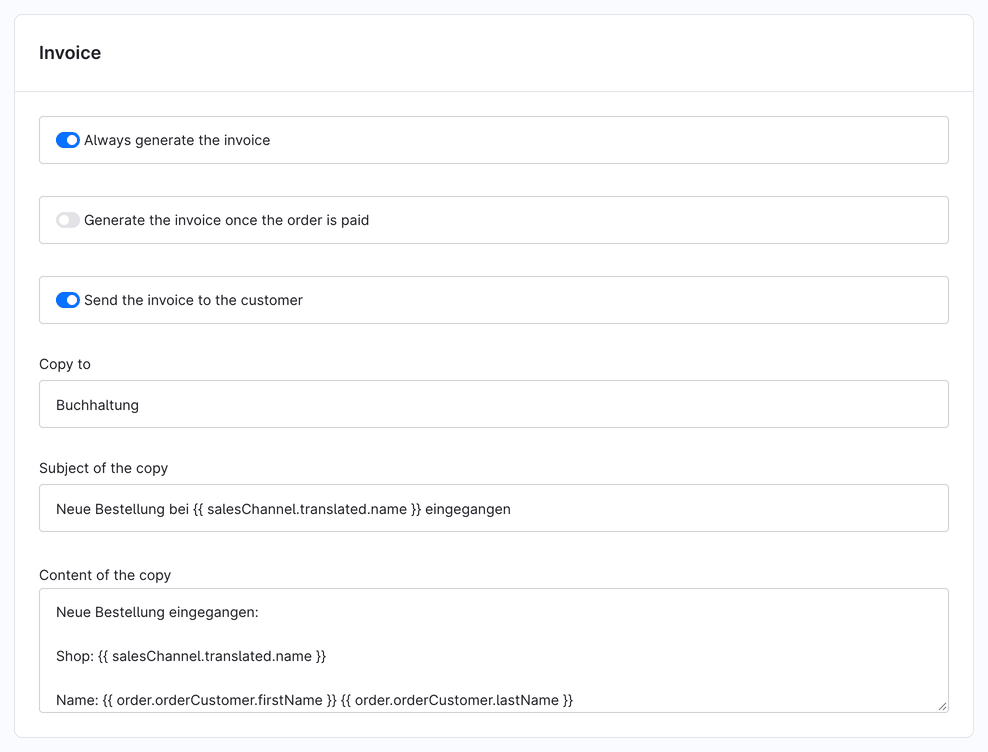
| Setting | Description |
|---|---|
| Always generate the invoice | The invoice is created when the order is placed and attached to the order confirmation. |
| Generate the invoice once the order is paid | Only used when "always generate" is off: the invoice is created as soon as the payment status is "Paid" and attached to the "Paid" status mail. |
| Send the invoice to the customer | Attaches the invoice to the mail to the customer. If off, it is only created (and sent to the copy recipients). |
| Copy to | Recipients of a separate mail with the invoice, e.g. accounting. Separate several addresses with ";". |
| Subject / content of the copy | Twig templates for the copy. Available: order (with customer, addresses, line items, deliveries) and salesChannel. |
Delivery note
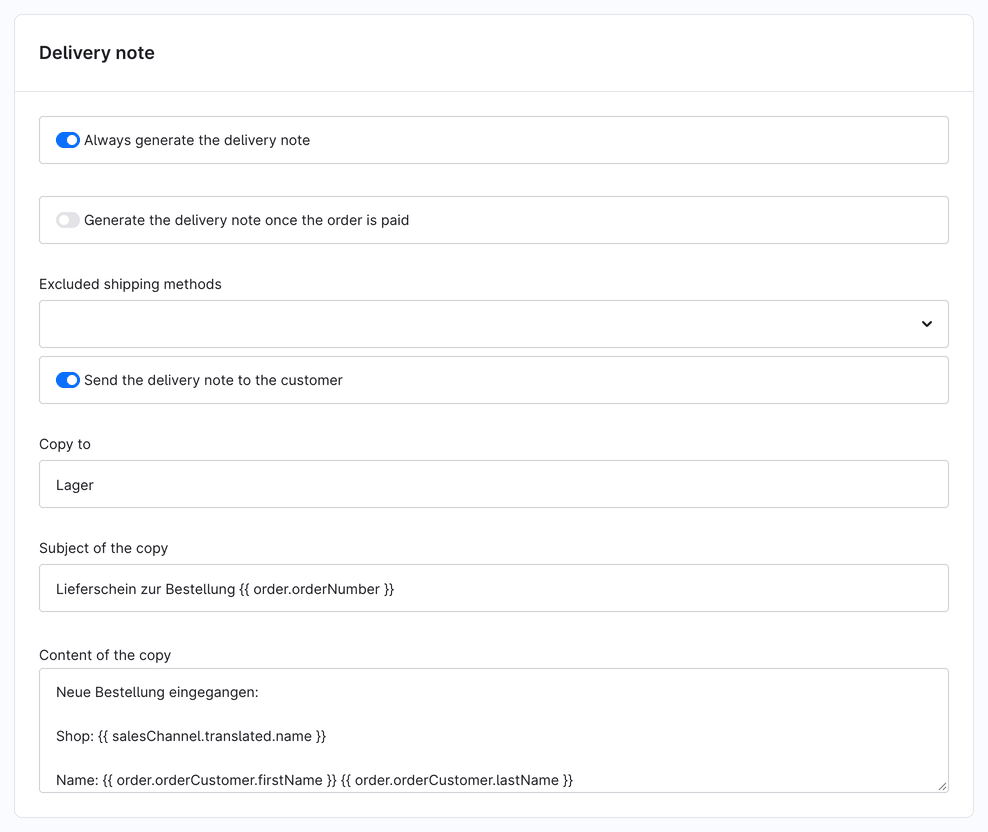
| Setting | Description |
|---|---|
| Always generate the delivery note | The delivery note is created when the order is placed and attached to the order confirmation. |
| Generate the delivery note once the order is paid | Only used when "always generate" is off: attached to the "Paid" status mail. |
| Excluded shipping methods | No delivery note is created for orders with these shipping methods (e.g. pick-up, digital products). |
| Send the delivery note to the customer | Attaches the delivery note to the mail to the customer. |
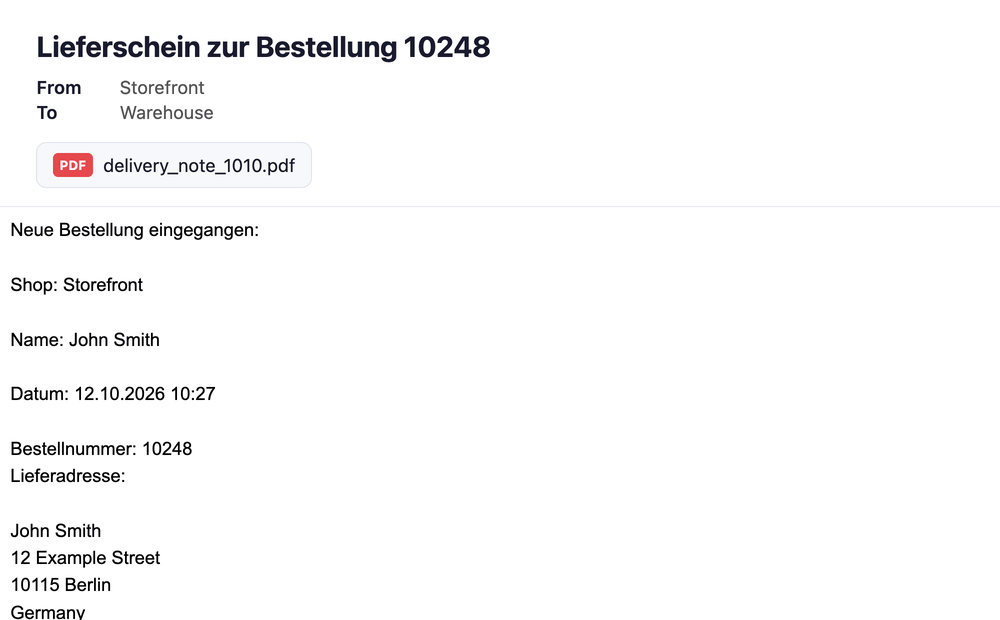
| Copy to | Recipients of a separate mail with the delivery note, e.g. warehouse or delivery service. |
| Subject / content of the copy | Twig templates for the copy, as for the invoice. The default content contains the shipping address. |
📧 How it works
- The customer places the order; Shopware sends the order confirmation through the Flow Builder.
- The plugin creates the invoice and/or delivery note with the Shopware templates and number ranges.
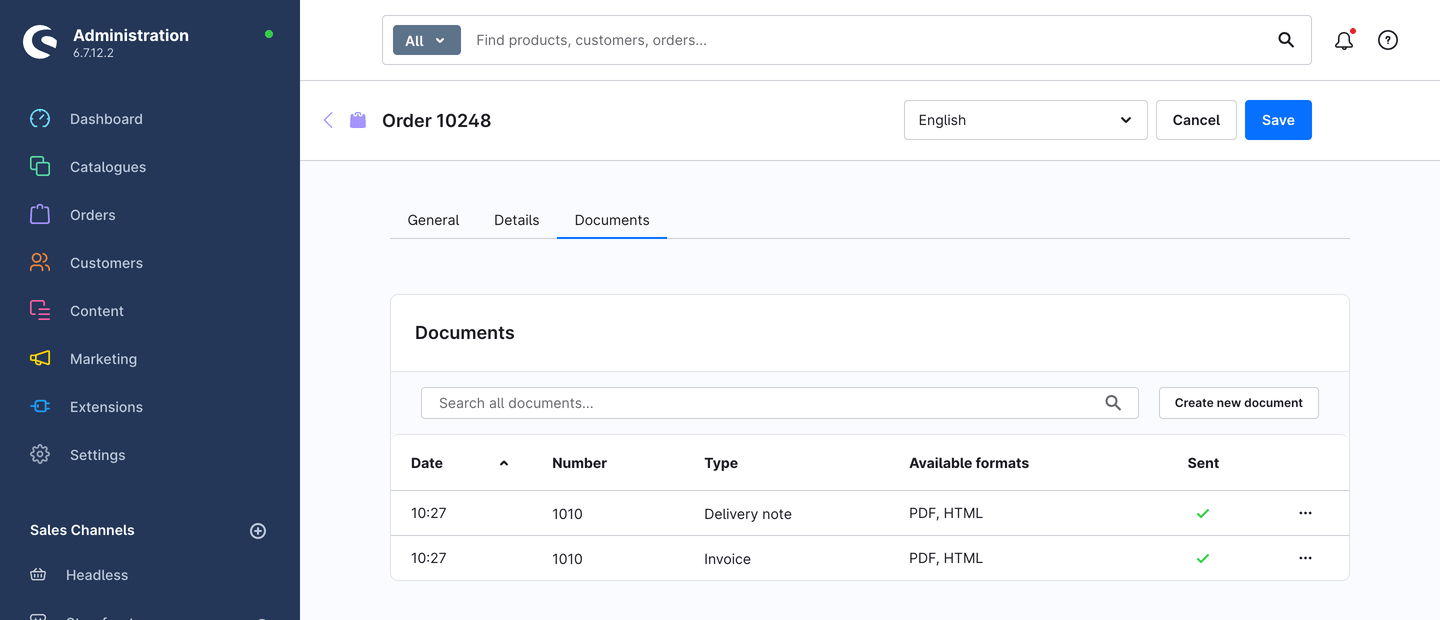
- The PDFs are attached to the order confirmation and marked as sent in the order.
- If a copy is set up, the recipient gets a separate mail with the document – once per document.
- Documents "after payment" are created when the payment status becomes "Paid" and attached to that status mail (the matching flow must send a mail).
🔐 Permissions (ACL)
The plugin has no administration module of its own and therefore no roles of its own. The configuration is available to users allowed to manage extensions (Settings > Extensions); the created documents are visible to all users with read access to orders.
🧩 Compatibility
| Shopware | Plugin version |
|---|---|
| 6.7 | 7.x |
| 6.6 | 6.x |
| 6.5 | 5.x |
💡 Typical use cases
Documents without manual work
Invoice and delivery note are created right at checkout – ideal for many orders.
Invoice only after payment
With prepayment or bank transfer, the invoice is created only once the payment is marked as "Paid".
Inform warehouse and accounting automatically
The warehouse receives the delivery note with the shipping address, accounting the invoice – no CC to the customer.
📬 Support
For questions or customisation requests, email us at support@cnk-plugins.de.