Download Order Documents as ZIP
With the Download Order Documents as ZIP plugin you export all documents of one or more orders as a single ZIP file – directly from the order overview in the Shopware backend. Instead of opening and saving each document individually, you select the orders, choose the document types and receive a cleanly named ZIP archive.
All common order documents are supported, such as invoices, delivery notes, credit notes and cancellation invoices.
Highlights
- 📦 Download all order documents as a ZIP with a single click
- 🗂️ Select and export multiple orders at once
- ✅ Freely choose the document types to export
- 📅 Date range filter (document date from/to) and search by document or order number
- 🧾 Invoices, delivery notes, credit notes and cancellation invoices
- 📧 Automatic document dispatch by e-mail, weekly or monthly (In-App Purchase)
- 🌍 Multilingual (German, English, French)
- 🖱️ Intuitive operation right in the order overview
🔧 Installation
- Install via the Shopware Store
- Install and activate the plugin in the Shopware Plugin Manager
- The feature is then available directly in the order overview
🔐 Permissions (ACL)
The export is integrated into Shopware's permission management. Under Settings > Users & permissions > Roles, assign the rights in the Orders section:
- Viewer: sees the Download Documents (Zip) button in the order overview
- Editor: can run the export and download the ZIP archive
Administrators automatically have all rights. Users without these rights do not see the button.
🚀 How it works
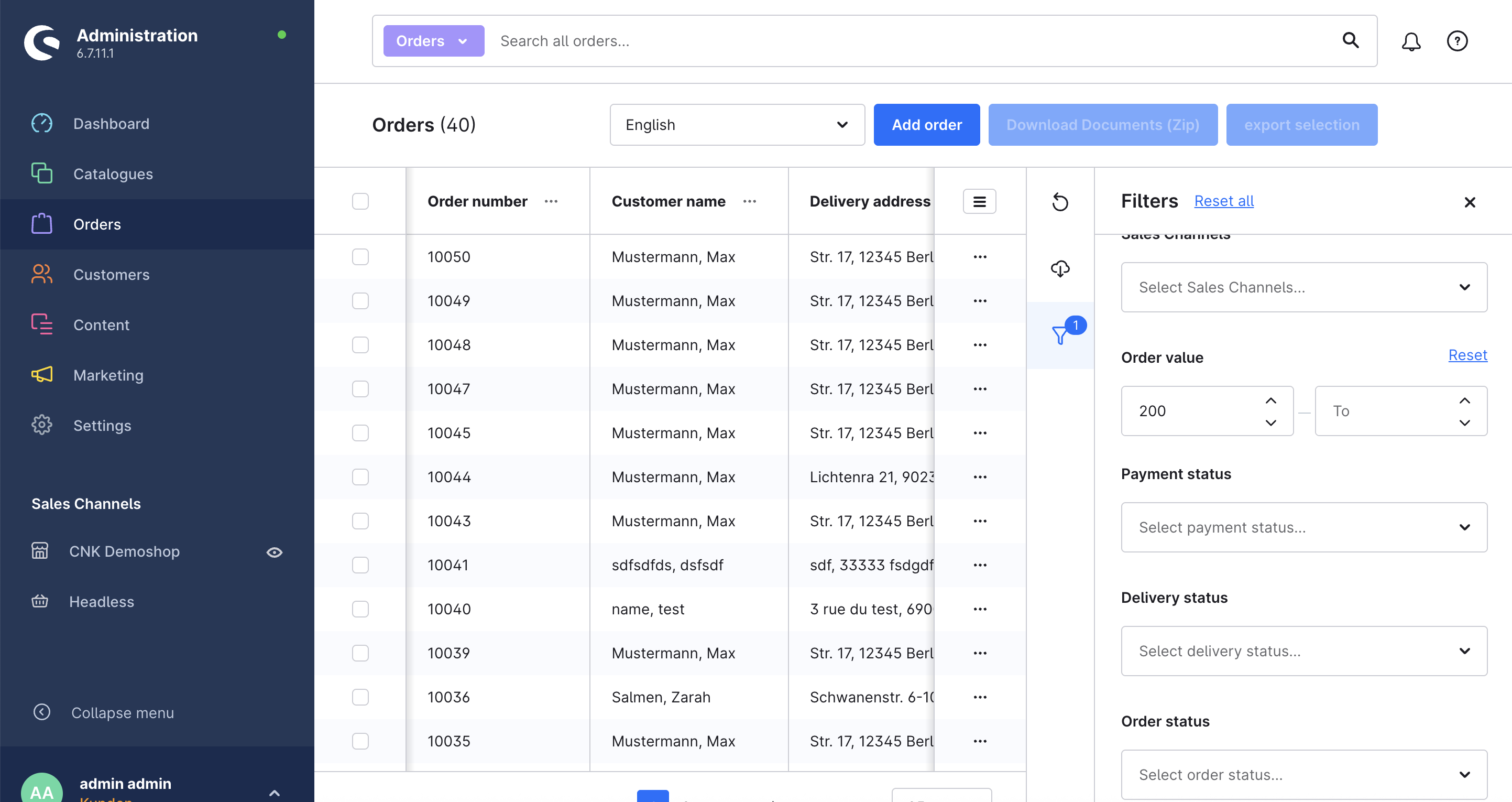
1. Select orders
Open the order overview under Orders, select one or more orders and click Download documents (Zip).
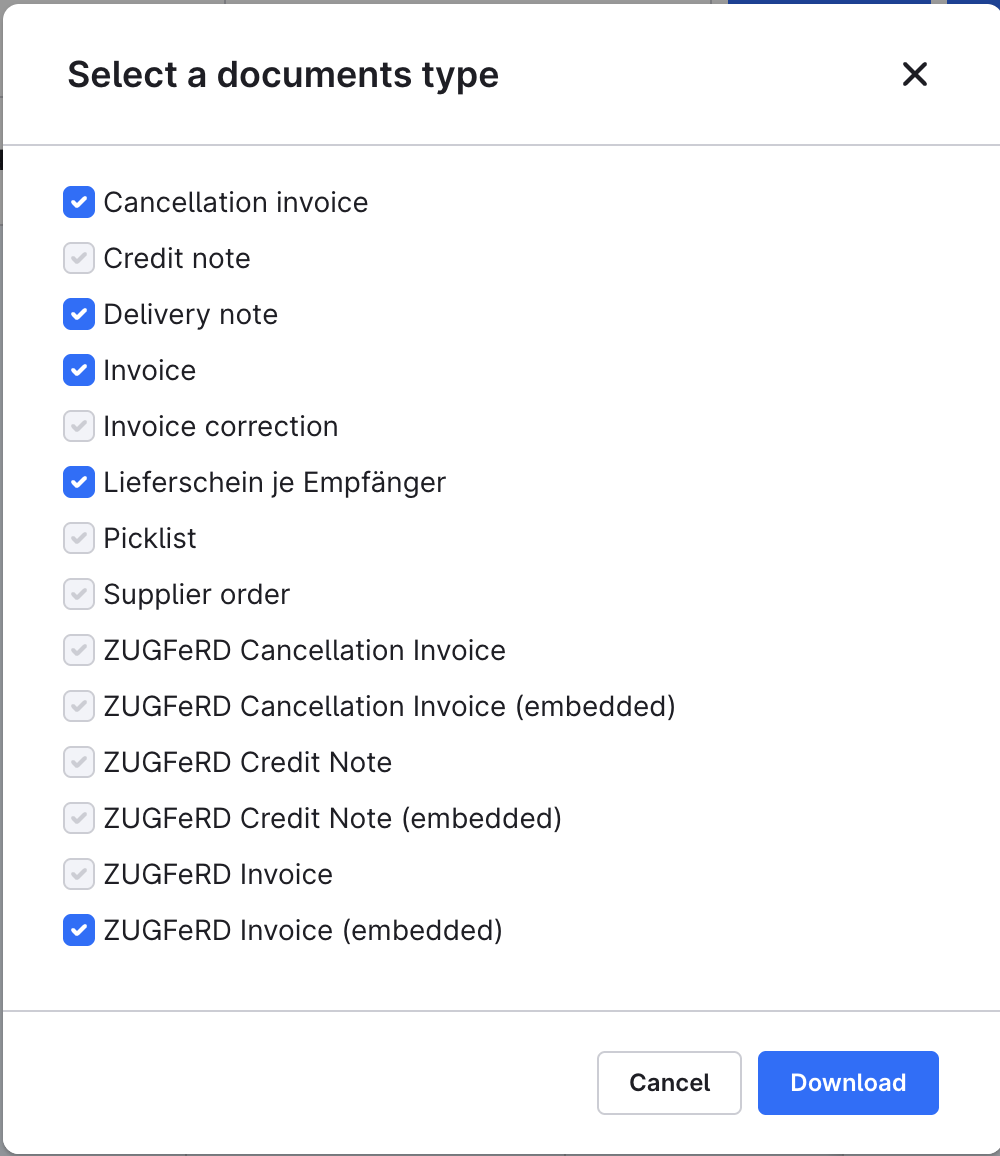
2. Choose document types and filter
In the dialog, decide which document types are included in the ZIP archive – for example invoice, delivery note or credit note. Optionally narrow down the documents further:
- Date range filter: document date from/to – ideal for the monthly export to accounting or the tax advisor
- Search: by document or order number
- Preview: a sortable list shows exactly which documents will be exported before the download
Then confirm with Download.
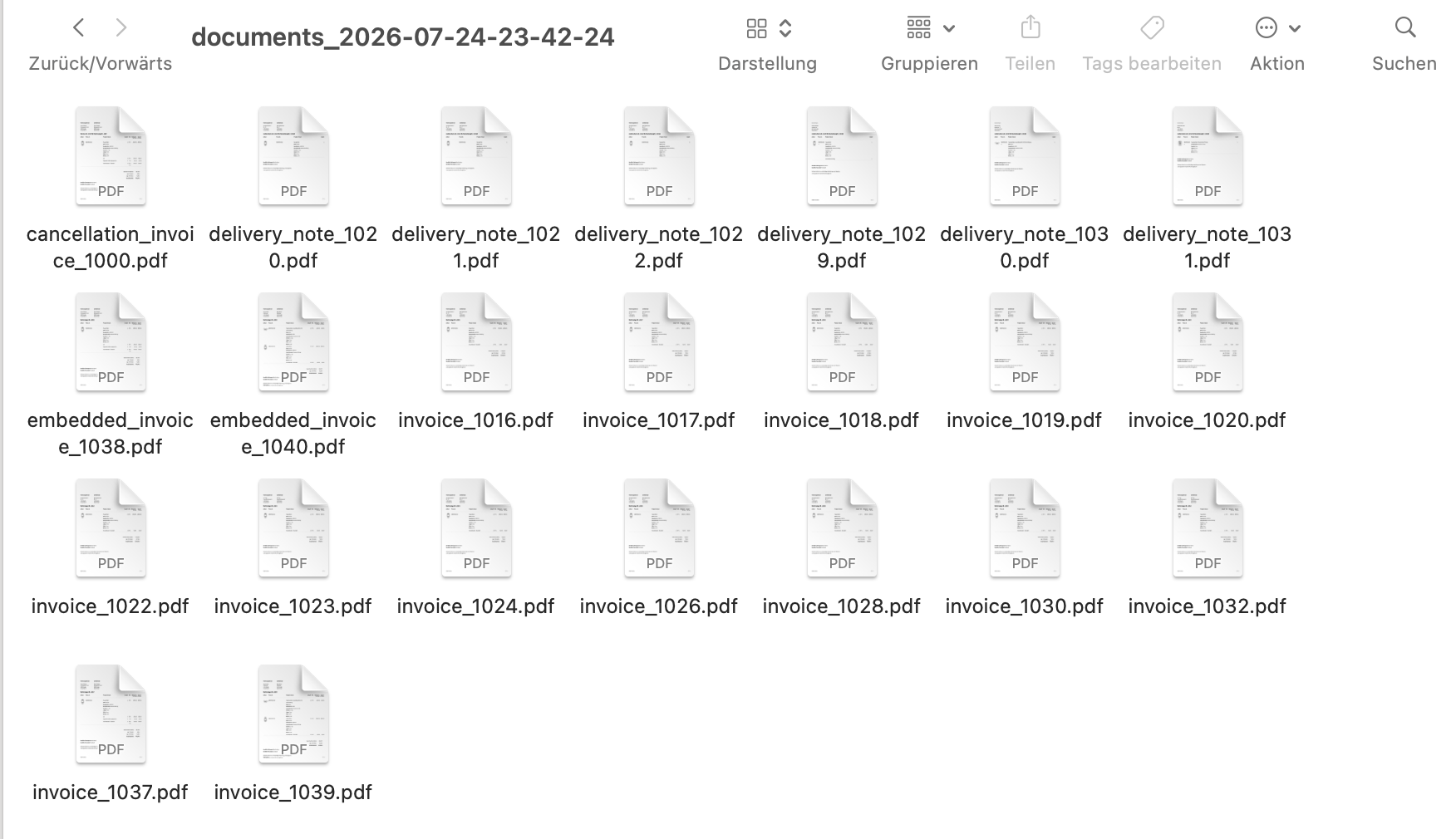
3. Receive the ZIP archive
All selected documents are downloaded bundled as a ZIP file – named and sorted, ready for accounting.
📧 Automatic document dispatch (In-App Purchase)
With the optional "Automatic document dispatch" In-App Purchase, the extension automatically e-mails new documents as one ZIP archive — for example directly to your accountant.
How to set it up:
- Open the extension configuration (Extensions > My extensions > Download Order Documents as ZIP > Configuration).
- Unlock the Automatic document dispatch In-App Purchase if you have not done so yet.
- Enable the automatic dispatch and enter the recipient e-mail address.
- Choose the interval (weekly or monthly) and optionally the document types (empty = all document types).
A scheduled task checks daily whether the interval has elapsed, collects all documents created since the last dispatch and sends them as one ZIP archive to the configured address. If there are no new documents, no empty e-mail is sent. If the "Accounting index (CSV)" In-App Purchase is active as well, the ZIP also contains the CSV overview.
If an error occurs (e.g. an invalid recipient address or a failed mail delivery), a message appears in the administration notification centre and the dispatch is retried automatically the next day.
💡 Typical use cases
Documents for accounting
Export the documents of many orders in one step and hand them over to your accounting in bulk.
Monthly or date-range export
Select the relevant orders, narrow down the documents with the date range filter (document date from/to) and download all their documents as a single archive.
Less manual effort
No more opening and saving each file individually – all documents land in one ZIP with a single click.
❓ FAQ
Which document types are supported?
The plugin supports all order documents like invoices, delivery notes, credit notes and cancellation invoices.
Can I export multiple orders at once?
Yes. You can select multiple orders and download all available documents bundled as a ZIP.
Can I limit the export to a date range?
Yes. In the export dialog you filter the documents by document date (from/to), search by document or order number and check the result in advance in a sortable preview.
Can documents be sent automatically?
Yes. With the "Automatic document dispatch" In-App Purchase, the extension e-mails new documents weekly or monthly as one ZIP archive to a configurable address, e.g. to your accountant.
Is the plugin multilingual?
Yes, the plugin supports German, English and French.
📬 Support
For questions, improvement suggestions or individual adjustments, contact us by email at support@cnk-plugins.de.