Automatic PDF Creation
With the Automatic PDF Creation plugin, you generate all PDF documents (Shopware standard and internal documents) automatically directly after order completion – and, if desired, send them straight to the customer by email.
You define per sales channel whether the invoice and delivery note are generated always or only once the order is fully paid, whether they are sent automatically, and who receives a copy. The subject and content of the emails are freely configurable, and certain shipping methods can be excluded from delivery-note dispatch.
Highlights
- 📄 Automatically generate invoice & delivery note after order completion
- 📧 Send documents directly to the customer by email
- 💳 Optionally generate only once the order is fully paid
- 📬 Copy to any email addresses (separated by ";")
- ✍️ Freely configurable email subject and content
- 🚚 Exclude specific shipping methods from delivery-note dispatch
- 🎛️ Per-sales-channel configuration
❓ FAQ
When are the documents created?
Automatically directly after order completion. Optionally, generation can be set to happen only once the order has been fully paid.
Which documents does the plugin support?
Invoice and delivery note – each with its own settings for generation, dispatch and email text.
Are the documents also sent to the customer?
Optional. For invoice and delivery note you can enable automatic dispatch separately per sales channel, defining the subject and content of the email.
Can I receive a copy of the emails?
Yes. In the Copy to field you enter one or more email addresses (separated by semicolons) that receive a copy.
Can I exclude certain shipping methods from delivery-note dispatch?
Yes. Via Excluded shipping methods you define for which shipping methods no delivery note is generated or sent.
🔧 Installation
Requirement
The following plugin must be installed and activated once before using this plugin: CNK Foundation.
- Requirement: CNK Foundation plugin
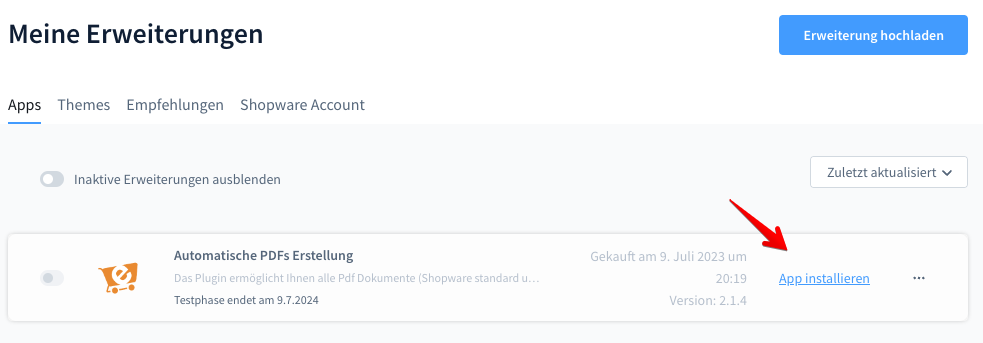
- Installation via the Shopware Store
- Install and activate the plugin in the Shopware Plugin Manager
- Configure it in the admin area (see Configuration below)
⚙️ Configuration
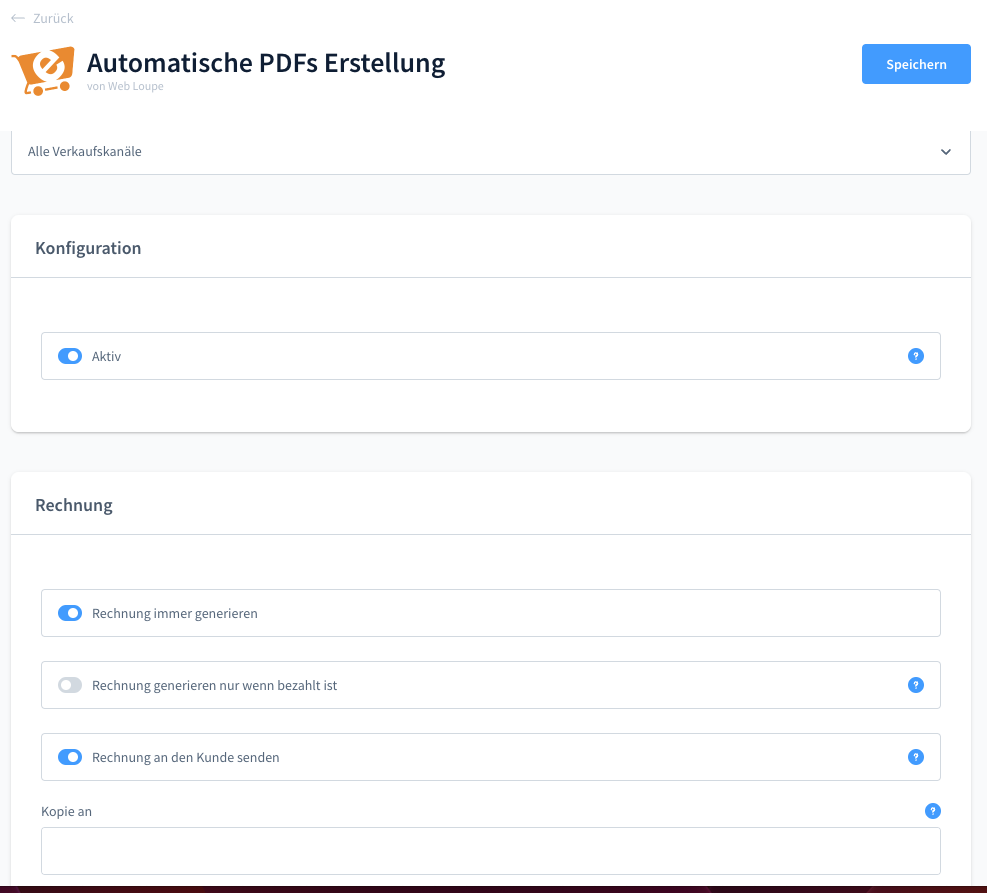
Open the plugin configuration in the admin area to set up automatic creation and dispatch per sales channel.
General
| Setting | Description |
|---|---|
| Sales channels | Select the sales channel. |
| Active | Enables the plugin for this shop. |
Invoice
| Setting | Description |
|---|---|
| Always generate invoice | Always generates the invoice after order completion. |
| Generate invoice only when paid | The invoice is generated only when the order has been fully paid. |
| Send invoice to customer | Creates and sends the invoice for this sales channel. |
| Copy to | Email address(es) for the copy – multiple addresses separated by ";". |
| Subject | Subject of the dispatch email. |
| Content | Content of the dispatch email. |
Delivery Note
| Setting | Description |
|---|---|
| Always generate delivery note | Always generates the delivery note after order completion. |
| Generate delivery note only when paid | The delivery note is generated only when the order has been fully paid. |
| Excluded shipping methods | Shipping methods for which no delivery note is generated or sent. |
| Send delivery note to customer | Creates and sends the delivery note for this sales channel. |
| Copy to | Email address(es) for the copy – multiple addresses separated by ";". |
| Subject | Subject of the dispatch email. |
| Content | Content of the dispatch email. |
💡 Typical Use Cases
Automated document creation
Invoices and delivery notes are created without manual effort directly after purchase – ideal for shops with high order volumes.
Dispatch only when paid
Create invoices only once payment has been fully received, avoiding documents for open or cancelled orders.
Internal document copies
Via the copy function, accounting or fulfillment automatically receive a copy of every dispatched document.
⭐ Benefits for Shop Operators
- Less manual effort thanks to automatic document creation
- Faster document delivery to customers
- Full control over generation and dispatch per sales channel
- Flexible email texts for invoice and delivery note
- Automatic copies for internal processes
🧩 Feature Set
- Automatic generation of invoice and delivery note after order completion
- Optional generation only once the order is fully paid
- Automatic email dispatch to the customer
- Copy to one or more email addresses
- Freely configurable email subject and content
- Exclusion of specific shipping methods from the delivery note
- Per-sales-channel configuration
📬 Support
For questions, suggestions for improvement, or individual customisations, contact us by email at support@cnk-plugins.de.