UPS Live Shipping (REST)
With the UPS Live Shipping (REST) plugin, you calculate shipping costs live via the official UPS REST API (OAuth 2.0) – directly in the Shopware 5 checkout. Costs are based on real UPS rates for the destination address, weight and selected service, including optional negotiated rates.
The plugin assigns each Shopware shipping method to a UPS service, automatically splits heavy orders into multiple packages, and – via fallback settings – still returns a result when the customer address or the API is temporarily unavailable.
Highlights
- 🚚 Live shipping costs via the official UPS REST API (OAuth 2.0)
- 🔀 Sandbox and production mode
- 🧭 Assign each shipping method to a UPS service
- ⚖️ Automatic package splitting above 70 kg
- 💶 Standard or negotiated UPS rates
- 🛟 Fallback country, ZIP code and fallback shipping cost
- 🐞 Detailed debug logging (
[UPS])
❓ FAQ
Where do the shipping costs come from?
Directly from UPS: the plugin queries the official UPS REST API (OAuth 2.0) at runtime and calculates the costs based on the destination address, weight and selected UPS service.
Do I need a UPS account?
Yes. You enter the Client ID and Client Secret from the UPS Developer Portal. For negotiated rates, your Shipper Number (UPS customer number) is additionally recommended.
How are Shopware shipping methods linked to UPS services?
Via the welo_ups_service_id attribute: each shipping method is assigned a UPS service ID (e.g. 65 → UPS Worldwide Saver). Without a service ID, no calculation can take place.
What happens for orders over 70 kg?
UPS allows a maximum of 70 kg per package. The plugin automatically detects higher total weights and splits them into multiple packages (e.g. 210 kg → 3 × 70 kg).
What happens if the UPS API is not reachable?
The fallback settings provide a default destination country, a default ZIP code and defined fallback shipping costs, so the checkout continues to work.
Can I trace the calculation?
Yes. With debug enabled, the plugin logs weight, service code, cache key, payload, raw response and error codes, among others. All entries are marked with [UPS].
🔧 Installation
- Installation via the Shopware Plugin Manager
- Install and activate the plugin
- Configure it in the backend (see Configuration below)
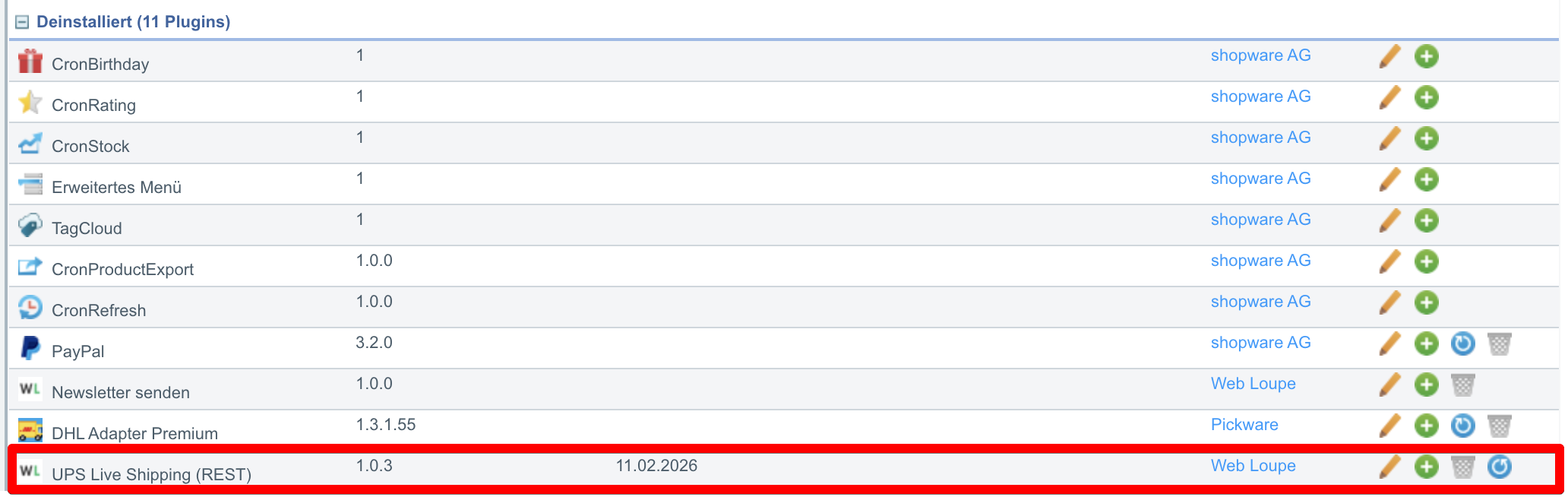
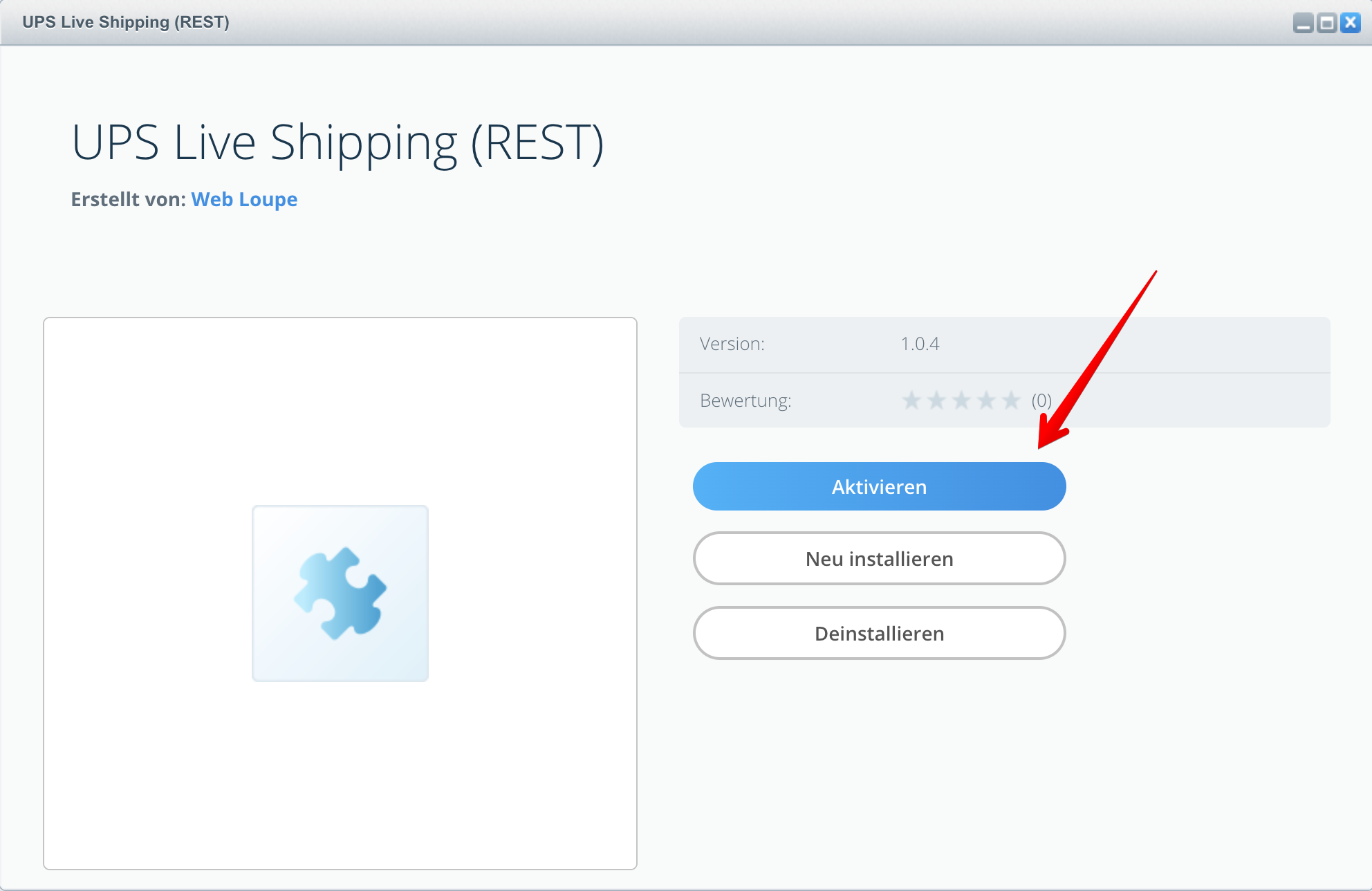
Then click the icon to activate the plugin:
⚙️ General Settings
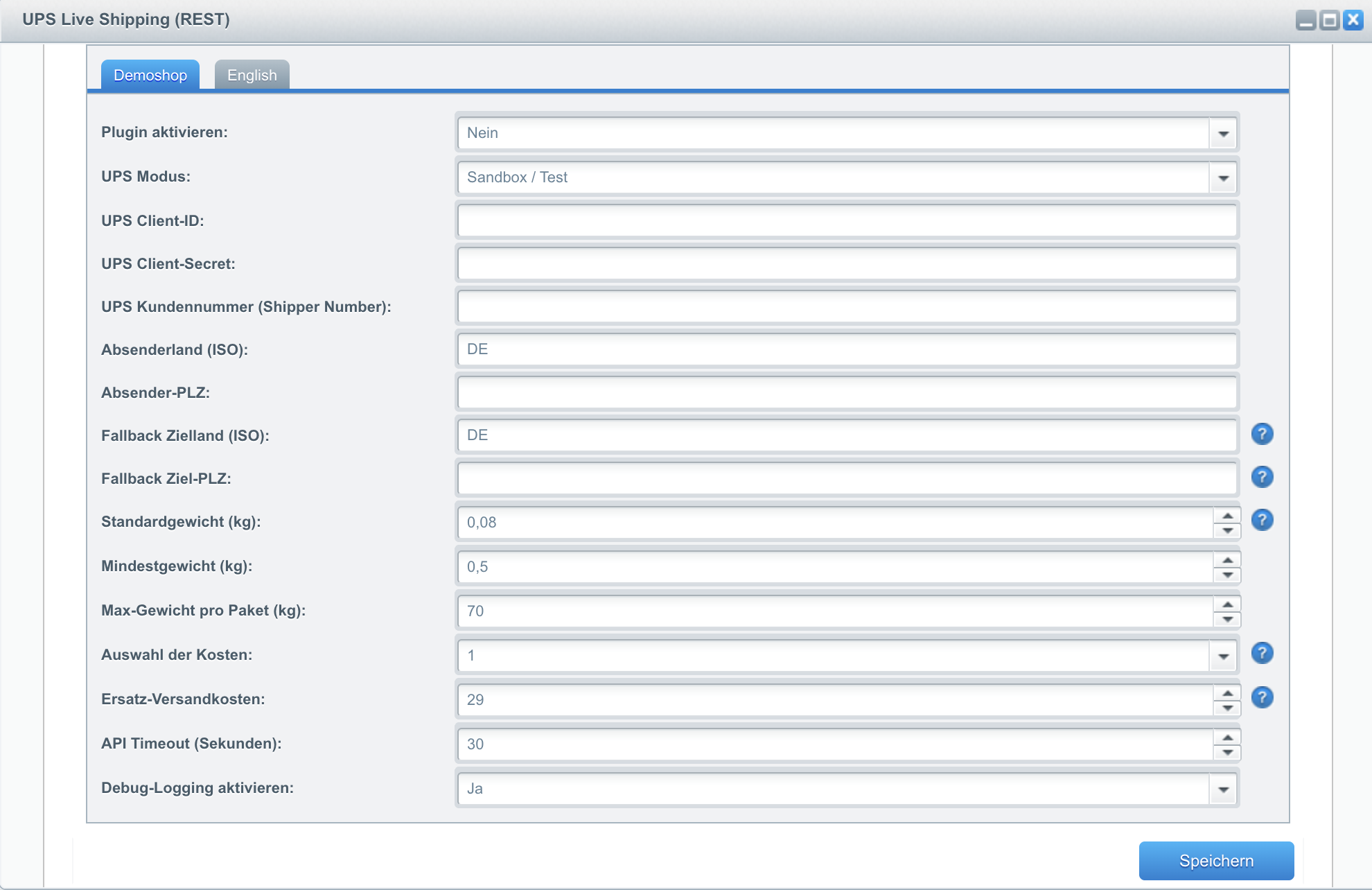
| # | Setting | Description |
|---|---|---|
| 1 | Select shop | Select the corresponding shop. |
| 2 | Activate plugin | Activates the UPS live shipping calculation. |
| 3 | Mode | Choose between Sandbox (test environment) and Production (live operation). |
| 4 | Client ID | Client ID from the UPS Developer Portal. |
| 5 | Client Secret | Client Secret from the UPS Developer Portal. |
| 6 | Shipper Number | UPS customer number (recommended for negotiated rates). |
| 7 | API Timeout | Timeout in seconds for the UPS API request. |
| 8 | Origin country | ISO code of the shipping country (e.g. DE). |
| 9 | Origin ZIP code | ZIP code of the shipping warehouse. |
| 10 | Price selection | Force standard rates, Force negotiated rates or Negotiated rates if available. |
| 11 | Save settings | Save the configuration. |
🧭 Assign Shipping Methods
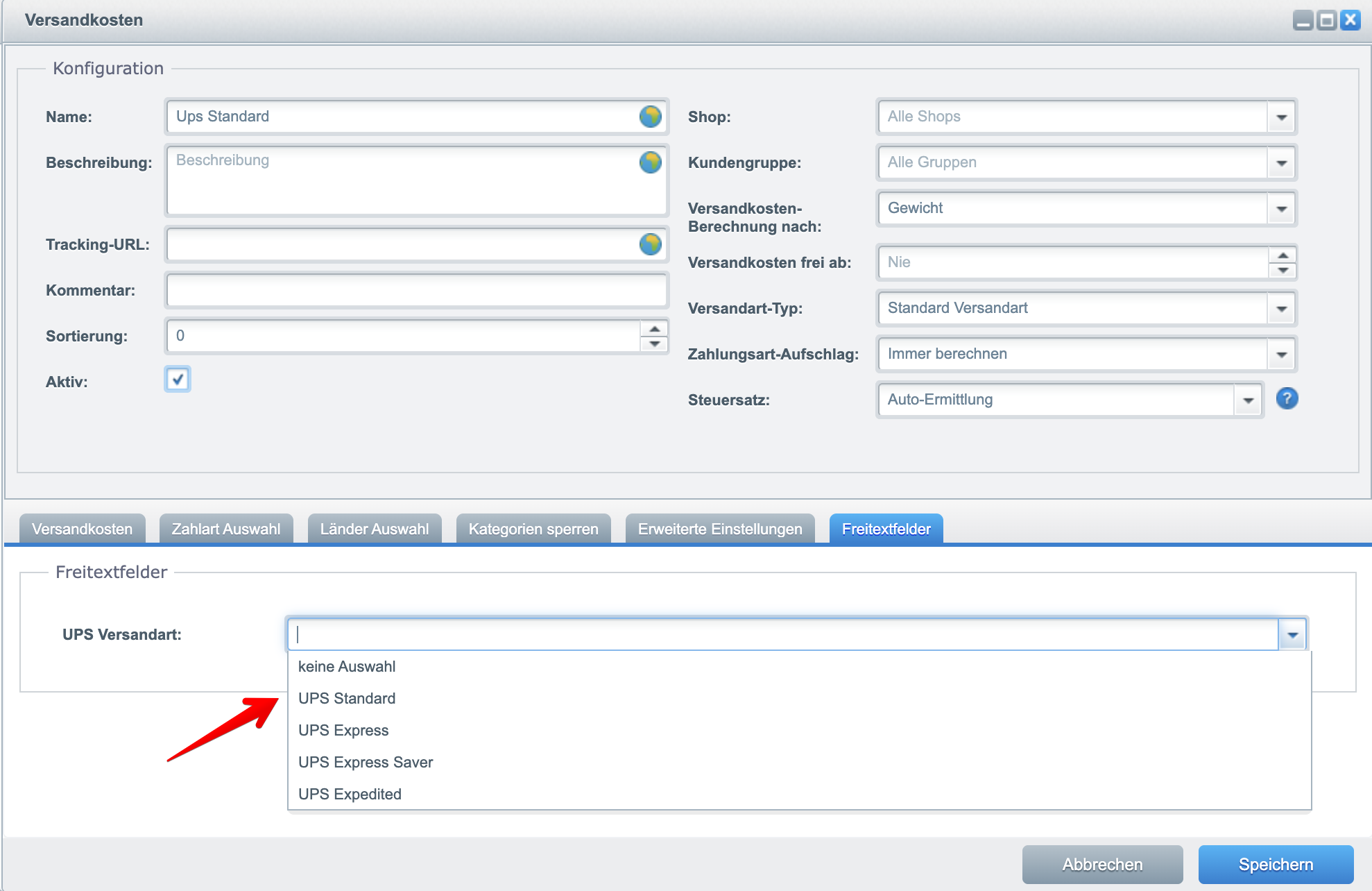
Each Shopware shipping method must be assigned to a UPS service. The welo_ups_service_id attribute is used for this.
| Service ID | UPS service |
|---|---|
65 | UPS Worldwide Saver |
11 | UPS Standard |
07 | UPS Express |
No service ID, no calculation
If a shipping method has no welo_ups_service_id assigned, no live calculation can take place for that shipping method.
⚖️ Weight & Splitting
UPS allows a maximum of 70 kg per package. The plugin automatically detects higher total weights and splits them into multiple packages.
| Total weight | Automatic split |
|---|---|
| 100 kg | 2 × 50 kg |
| 210 kg | 3 × 70 kg |
| 350 kg | 5 × 70 kg |
| # | Setting | Description |
|---|---|---|
| 1 | Default weight | Used when an item has no weight. |
| 2 | Minimum weight | Lower limit for the calculation. |
| 3 | Max weight per package | Default: 70 kg. |
| 4 | Save settings | Save the configuration. |
🛟 Fallback Settings
If the customer is not logged in or no complete address is available, the following settings apply:
| # | Setting | Description |
|---|---|---|
| 1 | Fallback destination country | Default country for guests. |
| 2 | Fallback destination ZIP code | Default ZIP code for guests. |
| 3 | Fallback shipping cost | Used if the UPS API is not reachable. |
| 4 | Save settings | Save the configuration. |
Dynamic destination address
If the customer selects a different country or ZIP code in the cart, this is dynamically used for the calculation.
🐞 Debug & Logging
| # | Setting | Description |
|---|---|---|
| 1 | Activate debug | Enables detailed log output. |
| 2 | Save settings | Save the configuration. |
The logs include, among others:
- Weight
- Service code
- Cache key
- Payload to UPS
- Raw API response
- Error codes
- API exceptions
All logs are marked with [UPS].
💡 Typical Use Cases
Accurate international shipping costs
Show customers real UPS rates for their destination address at checkout – instead of flat shipping costs.
Heavy and bulky orders
Large orders are automatically split into UPS-compliant packages (max. 70 kg) and calculated correctly.
Use negotiated UPS rates
With a Shipper Number stored, the plugin calculates your individually negotiated UPS rates.
⭐ Benefits for Shop Operators
- Precise, rate-accurate shipping costs directly from UPS
- Less over- or under-charging of shipping costs
- Automatic package splitting without manual effort
- Reliable checkout thanks to fallback settings
- Full transparency through detailed debug logging
🧩 Feature Set
- Live shipping cost calculation via the UPS REST API (OAuth 2.0)
- Sandbox and production mode
- Assign each shipping method to a UPS service
- Standard or negotiated rates
- Automatic package splitting from 70 kg
- Fallback country, ZIP code and fallback shipping cost
- Detailed debug logging with
[UPS]marking
📬 Support
For questions, suggestions for improvement, or individual customisations, contact us by email at support@cnk-plugins.de.